AI-Powered Card Skimmers: How a Rogue Script Hides on a WooCommerce Checkout
Modern card skimmers use AI to mutate their code and impersonate legitimate plugins. Here's how they hide on WooCommerce checkouts, and what store owners can do to find them.
A card skimmer is malicious code placed on your checkout page that copies card details as customers type and sends them to an attacker before the legitimate payment goes through. Modern skimmers now use AI to automatically regenerate their code and rotate their file names, so standard file scanning misses most of them. WooCommerce stores are a primary target because the checkout form runs on your own server.
Your customer types their card number, hits Submit, gets their order confirmation. The skimmer already sent a copy of their details somewhere else. Nothing looked wrong. That is intentional.
This is one of four AI-driven threats we cover in the series anchored by Attackers now use AI, and your detection window just got shorter.
What actually happens when a checkout page gets skimmed?
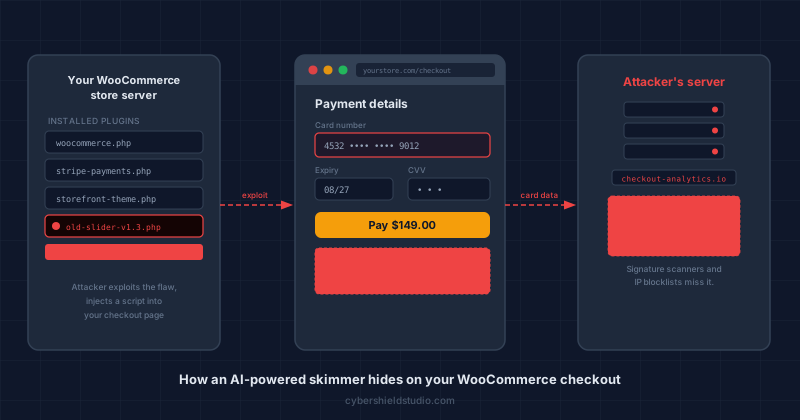
The skimmer is a short piece of JavaScript added to your checkout page without your knowledge. It runs alongside your legitimate checkout code and copies whatever customers type into the card number, expiry, and CVV fields. Those details go to the attacker's server, often within a few hundred milliseconds of the customer pressing Submit.
The 2018 British Airways breach documented this attack at scale: approximately 500,000 customers' payment details were stolen over two weeks by 22 lines of injected JavaScript on their payment page (source: RiskIQ, 2018). The breach was invisible to the airline and to customers until card fraud surfaced weeks later.
The transaction still processes normally. The customer receives their order. No error fires. The first sign something happened is when affected customers start reporting fraudulent charges.
Why is WooCommerce a bigger target than a hosted checkout?
WooCommerce store owners face a specific risk that merchants on fully-hosted checkout platforms don't: the checkout form runs on your own server, so any script on that page can interact with the card fields. If an attacker injects a script anywhere on that page, it can read card details directly.
Hosted checkouts work differently. Stripe Checkout, PayPal's redirect flow, and Shopify Payments redirect customers to a different company's servers when it's time to enter card details. A skimmer on your storefront cannot reach data entered on someone else's server. That's the structural protection fully-hosted checkouts provide. If you run a store with no security person and take cards directly on your own page, that difference isn't academic. A redirect checkout is the unglamorous move that takes most of this problem off the table.
WooCommerce puts the card fields, and every script on the page, on your hosting account. Sansec, a firm that does nothing but hunt ecommerce malware, has tracked WooCommerce skimmer campaigns since 2020. The pattern is grimly efficient: bots crawl the web for known plugin holes, find one, and use it to get write access to your files. No human is involved until the card data starts flowing.
Running an outdated plugin is the single most common way a skimmer gets onto a WooCommerce checkout. Attackers don't need a flaw in WooCommerce itself. One vulnerable plugin (a slider, a gallery, a contact form) gives them what they need.
How does AI make a skimmer harder to find?
AI-powered skimmers use three techniques that defeat traditional file scanning: they auto-generate new code variants so no file matches a known signature, they rotate the domain receiving stolen data so blocklists go stale within hours, and they name their files after legitimate tools so nothing looks suspicious in your plugin folder.
The code regenerates itself. Rather than shipping a fixed malicious file, attackers use tools that generate code automatically, varying the function names, variable names, and encoding each time the skimmer is deployed. A signature scanner comparing your files against a database of known malware won't find a match, because this particular variant has never been catalogued.
The receiving domain changes on a schedule. The server that collects stolen card data rotates daily or faster. By the time a domain appears on a blocklist, the stolen data has arrived and the attacker is already on a new address. IP and domain blocklists are a lagging indicator against this.
The file name mimics real tools. Skimmer scripts today are routinely named things like woocommerce-analytics-helper.js or checkout-performance-monitor.min.js. So no, a quick grep of your plugin folder won't save you. A skimmer that named itself after a real analytics helper looks exactly as boring as it wants to, sitting right there in the list. That's the whole trick, and it works.
Can a simple file scan catch an AI-powered skimmer?
Not reliably, and this is the core problem with treating file-integrity scanning as your only defence.
File-integrity tools work by comparing your files against a known-good baseline or a signature database. When the code is AI-generated and looks different from any signature on record, and when the file name matches a real plugin's naming pattern, the scan returns clean results.
The more useful signal comes from watching what your checkout page actually does, not what files sit on the server. A Content Security Policy tells browsers exactly which scripts are permitted to run on your page. Any script not on that list either gets blocked or generates a report, depending on how you configure it.
That is behaviour-based detection. It catches mutations that signature scanners miss because it doesn't care what the malicious script looks like. It only cares whether the script was approved.
PCI DSS v4.0 Requirements 6.4.3 and 11.6.1 exist specifically because of this limitation. For SAQ A-EP and SAQ D merchants, maintaining a script inventory and monitoring for unauthorised changes is a compliance requirement. See What is a Supply Chain Attack? for how script monitoring fits into a broader defence posture.
What can a WooCommerce store owner do right now?
Four practical steps reduce your exposure, and none of them requires a security engineer on call. The most impactful is keeping plugins updated. Most WooCommerce break-ins start the same dull way: one outdated plugin nobody remembered was still installed. The others build a detection layer that catches what update hygiene misses.
Keep plugins and themes updated. WordPress applies background updates to core, but most plugins are off by default. Go to Settings > Automatic Updates in your WordPress admin and enable automatic updates for plugins, or build a manual check into your weekly routine. If you have plugins you haven't touched in months, delete them rather than leaving them as dormant entry points.
Run a payment-page scan. Our free Webpage Security Checker scans your checkout URL for missing security headers, script anomalies, and other indicators that a skimmer would have an easier time on your site. A clean result won't catch every possible injected script, but flagged results tell you exactly where to focus.
Add a Content Security Policy in report-only mode. In report-only mode, a CSP does not block anything yet. It logs a report whenever a script not on your approved list tries to run. Your developer can add this without touching how your checkout behaves. If a skimmer gets injected and executes, you get a report. This is also the practical first step toward the script monitoring PCI v4.0 requires for SAQ A-EP and SAQ D merchants. On WooCommerce you can skip the developer: here is how to see every script on your checkout and set a report-only policy from wp-admin.
Get a professional review if your checkout is direct. If customers enter card details on your own WooCommerce page rather than redirecting to a hosted checkout, you carry the highest script-injection risk. A founder-led checkout review provides a professional assessment of your specific payment-page posture, including the things automated scans cannot evaluate. That's where the gap between "we ran a scan" and "we actually know our exposure" gets closed.
Next steps
Subscribe to the Newsletter
PCI compliance guides and ecommerce threat intelligence, straight to your inbox.
No spam, unsubscribe anytime. We handle your address as described in our privacy policy.
Related Articles
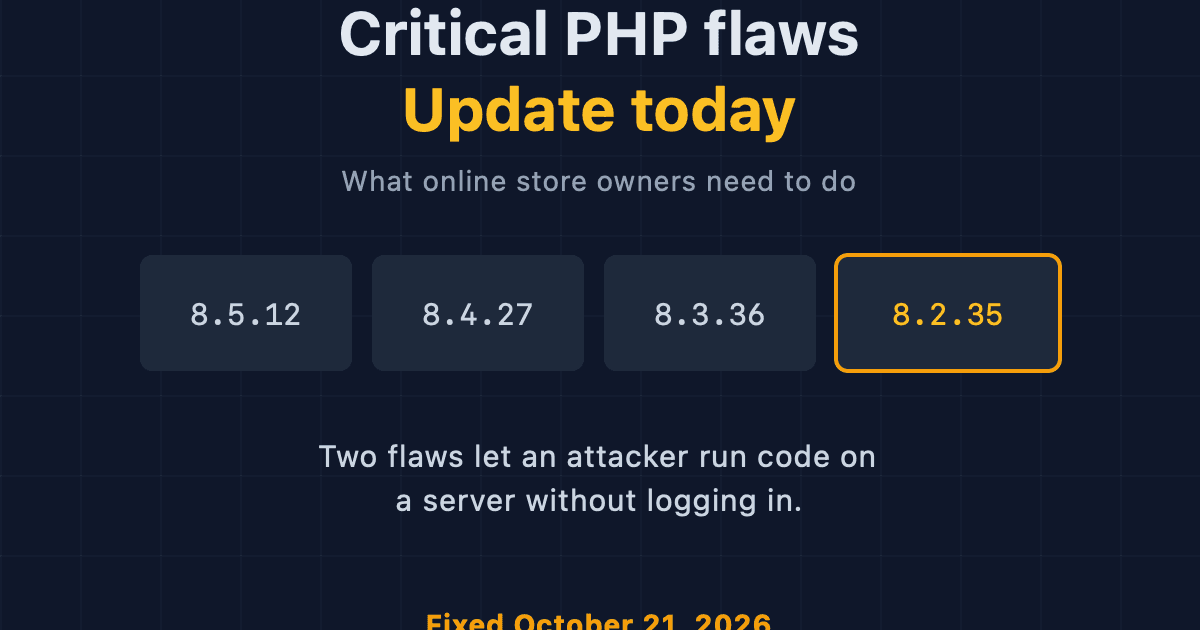
Critical PHP Flaws (PHP2Shell): What Online Store Owners Need to Do Today
Two critical PHP flaws let attackers run code on a server without logging in. Here is what store owners on WooCommerce, Magento and PHP hosts should do today.
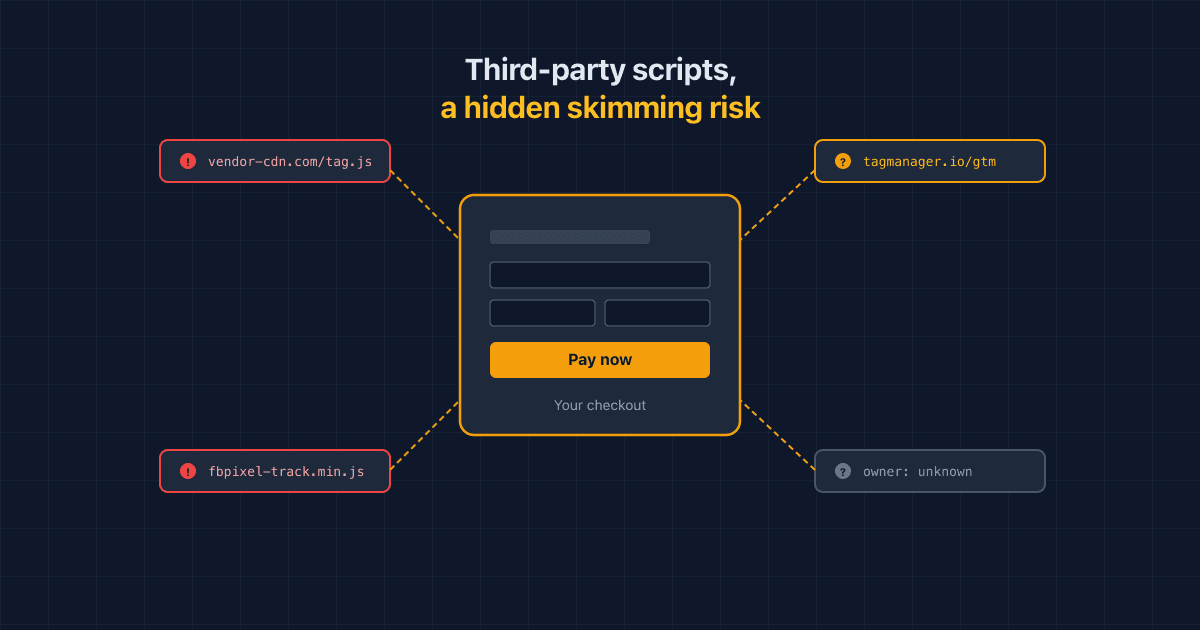
Third-Party Scripts Are a Hidden Skimming Risk on Your Checkout, Sucuri Warns
Sucuri warns that ordinary third-party scripts and tags can turn into a skimming risk on checkout pages. Here's how, and what PCI DSS 6.4.3/11.6.1 ask you to do.
StyleSmuggler: The Magento Zero-Day Being Exploited Right Now
Sansec found an unpatched Magento and Adobe Commerce RCE under active attack since September 4, 2026. Here's how it works, what's affected, and what to check today.