Third-Party Scripts Are a Hidden Skimming Risk on Your Checkout, Sucuri Warns
Sucuri warns that ordinary third-party scripts and tags can turn into a skimming risk on checkout pages. Here's how, and what PCI DSS 6.4.3/11.6.1 ask you to do.
Sucuri, the website security firm, warned this week that ordinary third-party scripts, tags, and pixels can turn into a payment-skimming risk without anything on your own site changing. The warning names four specific ways it happens, and researchers documented a real skimmer disguised as a Facebook Pixel on a checkout page (TechNadu, 25 August 2026).
None of the four risks below are new attack techniques. They are the ordinary, boring way a checkout page ends up running code nobody in the business signed off on.
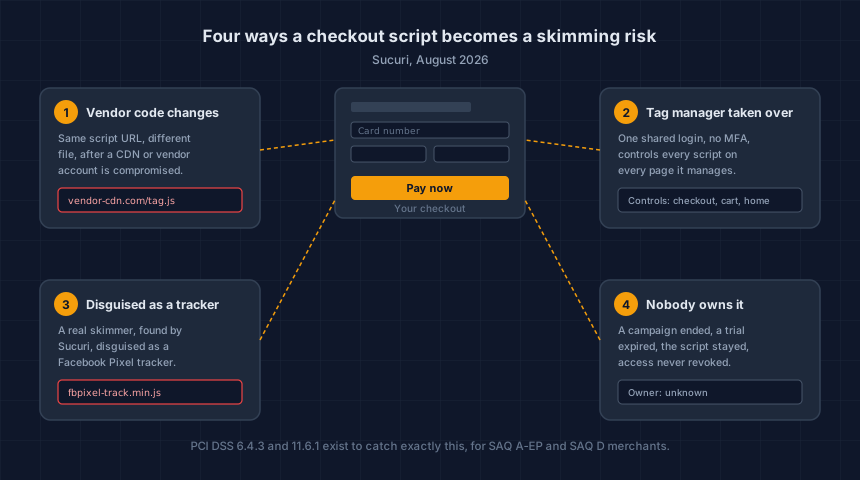
How can code you never touched put a skimmer on your checkout?
A site keeps loading the same script URL indefinitely, even after the code sitting at that address has changed. If the vendor, CDN, or hosting provider behind that URL gets compromised, every site pulling from it receives the modified file, with no update, deploy, or admin action on the merchant's end.
This already happened this year, just not with a skimmer payload. In June 2026, attackers reached the CDN account behind three popular WordPress plugins and altered the legitimate JavaScript those plugins had been serving for years. Sansec put the exposure at over 1.2 million sites. We covered the mechanics in how to see every script on your WooCommerce checkout.
That attack targeted admin logins, not card fields. The delivery mechanism is the point: a script you vetted once can start doing something else entirely, at a time of the vendor's choosing, not yours.
Why does a compromised tag manager put the whole checkout at risk?
A tag manager is a single control panel that decides which scripts load across an entire site and where the data from those scripts goes. Compromise the tag manager account, and an attacker can push a script to every page the account controls in one move, checkout included.
Sucuri points to the usual way these accounts get taken: shared logins passed around a marketing team, and no multi-factor authentication on the account. Neither is unusual, and neither is hard to fix once someone notices it's missing.
The risk isn't the tag manager itself. It's that one login now controls what runs on your payment page, and most stores have never asked who else has that login or whether it's protected the way a payment-page credential should be.
Can a card skimmer really pose as a Facebook Pixel?
Yes, and Sucuri's researchers found one doing exactly that. A credit-card skimmer was disguised as a Facebook Pixel tracker on checkout pages, sitting alongside the legitimate marketing scripts it was built to resemble.
The trick works because a tracking pixel and a skimmer are both short pieces of JavaScript with plausible-sounding names, loaded from a URL that looks like the kind a marketing tool uses. Nobody audits a Facebook Pixel. That's exactly why one makes convincing cover.
A skimmer that impersonates a tool you already trust doesn't need to hide from a scan of your page. It only needs to look boring enough that nobody asks what it's actually doing.
Why does "nobody owns this script" matter?
An integration with no named owner tends to outlive its purpose. Marketing adds a pixel for a campaign that ended eight months ago, a developer wires in an A/B testing tool nobody checks anymore, an agency's trial account stays connected after the contract ends. Each one is still a live script with the same access it had on day one.
Sucuri's recommendation here is direct: know what's running, know why, and know who's responsible for it. That's not a call to strip every third-party script off your store. It's a call to be able to answer, for each one, why it's still there.
Does PCI DSS require you to monitor these scripts?
For SAQ A-EP and SAQ D merchants, yes. PCI DSS Requirement 6.4.3 requires a documented inventory of every script authorized to run on the payment page, and Requirement 11.6.1 requires a mechanism that detects unauthorized changes to that page. Both are mandatory, no exceptions.
For SAQ A merchants, both requirements were removed in the January 2025 SAQ A revision and replaced with a self-attestation: you confirm your page is not susceptible to script attacks (PCI SSC, SAQ A updates). The form got shorter. The question the form was asking did not go away.
A checkout running an unaudited tag manager and an unexplained pixel is a hard page to defend that attestation from, whichever box you check. Our longer explainer on what 6.4.3 and 11.6.1 actually ask for walks through both requirements line by line, including which processor integrations put you in SAQ A versus SAQ A-EP.
What do CSP and SRI actually catch?
Content Security Policy (CSP) tells the browser which sources are allowed to serve scripts on a page, so a script loading from an unlisted domain either gets blocked or reported, depending on how the policy is set. Subresource Integrity (SRI) goes further for scripts loaded from a fixed URL: the browser checks the file against a cryptographic hash you specify, and refuses to run it if the contents don't match.
Sucuri names both as the browser-level controls worth having on a payment page. Neither one requires you to trust a vendor's good behavior going forward. Both work by defining what's supposed to be there and rejecting anything that doesn't match.
They're also not a substitute for the inventory. CSP and SRI enforce a list; they don't build one. On a bare WooCommerce cart page with no analytics, marketing, or chat plugins installed, we counted 62 separate JavaScript files loading by default. A policy is only as good as knowing what belongs on that list before you write it.
Our free Webpage Security Checker reports whether your checkout URL has a Content Security Policy and SRI attributes in place, alongside the other headers a payment page depends on. It takes under a minute and needs no account. The letter it gives is explained in what a storefront security grade measures.
What should you actually do about this?
Start with the same four gaps Sucuri named, worked in the order that closes the most risk first:
- Write down every script on your checkout. Not just the ones you added, all of them. A tag manager can inject scripts your own team never touched directly.
- Name an owner for each one. If nobody can say why a script is there or what it does, that's your answer: remove it or find out.
- Lock down the tag manager account. Turn on multi-factor authentication, and stop sharing one login across a marketing team. This is the cheapest fix on the list and closes the highest-leverage risk.
- Add CSP and, where scripts load from a fixed URL, SRI. These catch the case where a script you already approved starts behaving differently, which an inventory alone won't tell you.
On WooCommerce, a script inventory is a five-minute job with the free Checkout Script Monitor plugin. Off WooCommerce, the Webpage Security Checker scans any checkout URL from outside and reports the same class of findings.
If the list comes back longer than expected, or you're not sure which SAQ your integration puts you in, a founder-led checkout review walks through the payment page directly and gives you a prioritized list of what to fix. You keep the findings either way.
Written by Brandon Wu, Security+, part of the CyberShield Studio team. CyberShield Studio helps ecommerce merchants get visibility into what's running on their store. We don't make anyone compliant and we don't claim to. The decision is always yours; our job is making sure you're not making it blind.
Next steps
Subscribe to the Newsletter
PCI compliance guides and ecommerce threat intelligence, straight to your inbox.
No spam, unsubscribe anytime. We handle your address as described in our privacy policy.
Related Articles
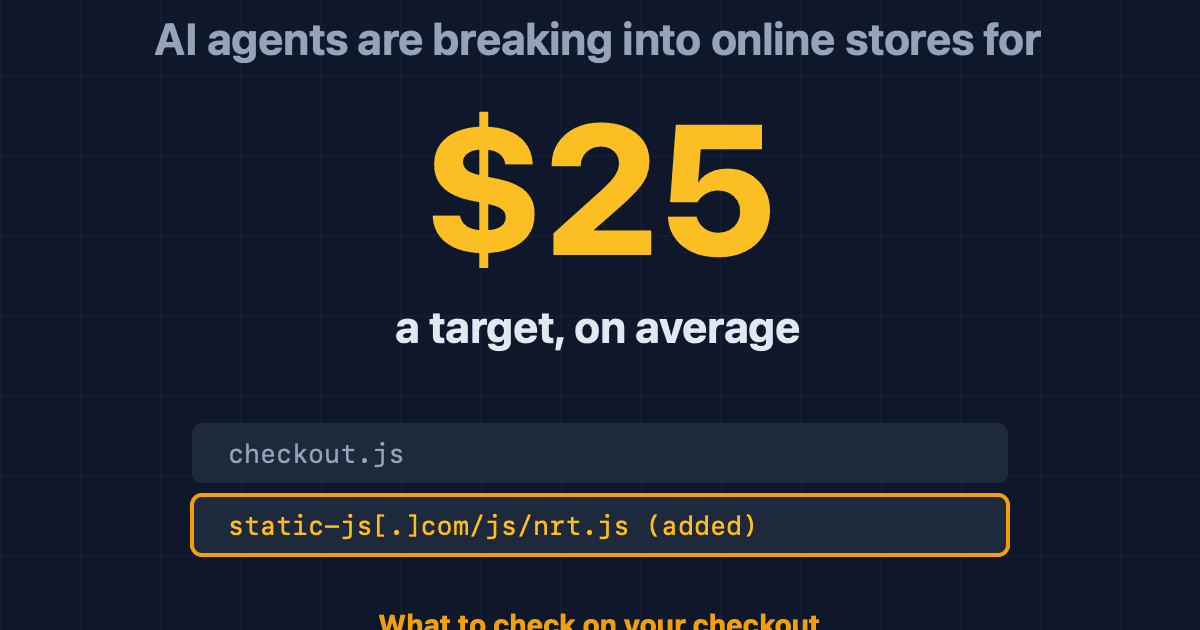
AI Agents Are Breaking Into Online Stores for $25 Each: What to Check on Your Checkout
Gambit Security says one operator used AI agents to break into online stores for about $25 a target and plant card skimmers. What was found, and what to check.
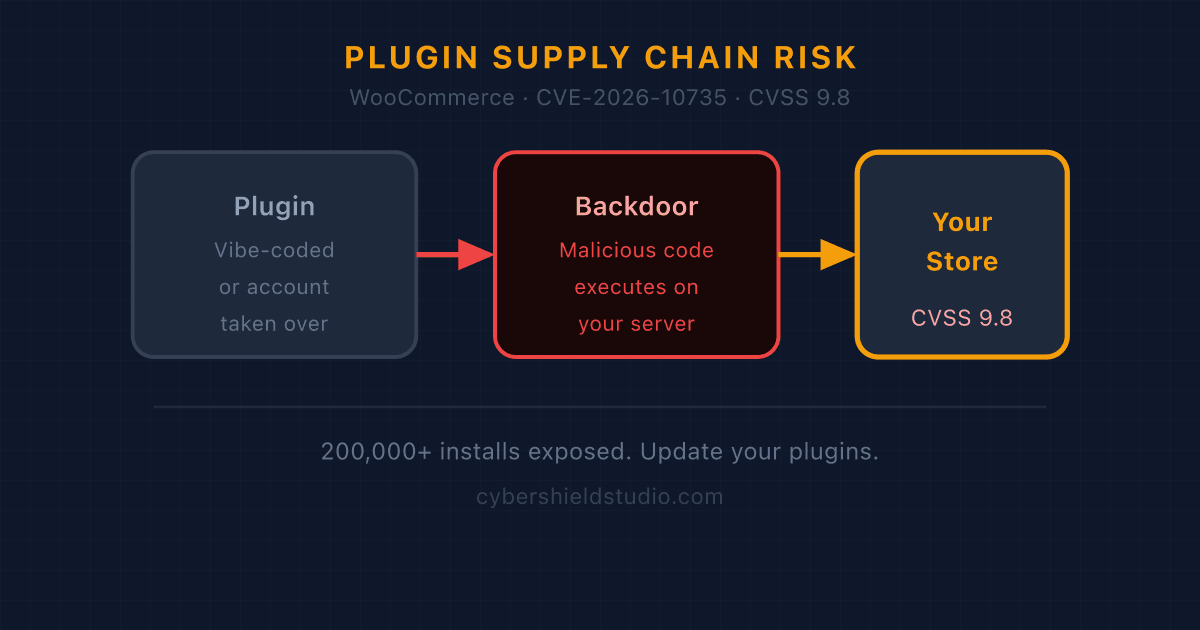
"Vibe-Coded" Plugins and the WooCommerce Supply-Chain Risk in 2026
A CVSS 9.8 backdoor in a plugin with 200,000+ installs showed what happens when AI-generated code ships without security review. Here's what WooCommerce store owners need to know.
What is a Magecart Attack? A Plain-English Guide for Online Store Owners
Magecart attacks quietly steal your customers' card numbers as they type. Here's how they work, why they hit small stores just as often as big ones, and what you can do about it.