The PCI Council's New AI Guidance: What It Means for a Small Online Store
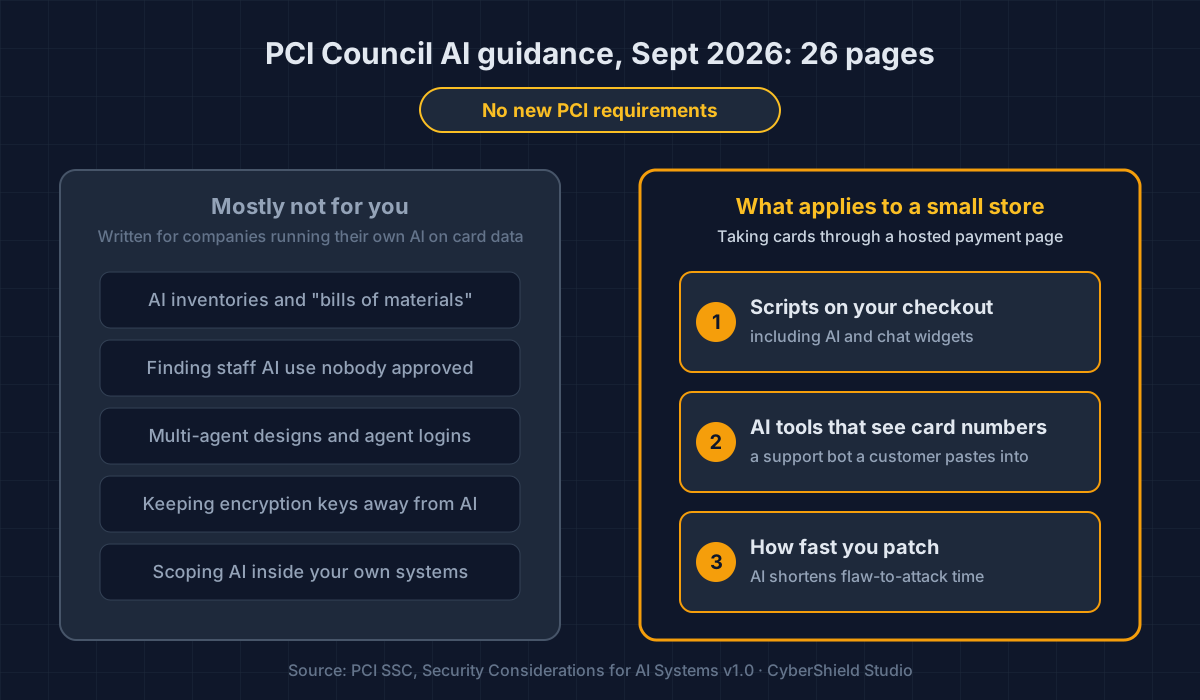
In September 2026 the PCI Council published 26 pages on AI security. It adds no new rules. For a small store, three parts matter and the rest can wait.
In September 2026 the PCI Security Standards Council published Security Considerations for AI Systems. It adds no new PCI requirements. Most of its 26 pages are written for companies that run their own AI close to card data. If you take cards through a hosted payment page, three parts apply to you: scripts on your checkout, AI tools that might see card numbers, and how fast you patch.
I read the whole thing. Here is what I would skip, and what I would act on this week.
By Dennis Wu, a certified security and PCI professional (CISSP · PCIP). I have spent 30+ years in security, including running PCI Level 1 compliance at buuteeq/Booking.com.
What did the PCI Council actually publish?
It published an information supplement, which is the Council's name for guidance that sits beside its standards rather than inside them. Version 1.0 is dated September 2026 and covers two subjects: using AI safely where card data is handled, and defending your systems against attackers who use AI (PCI SSC, Security Considerations for AI Systems v1.0, Sep 2026).
Trade press picked it up in early October. Help Net Security led with the headline item, that a human should approve any AI action involving unprotected card numbers (Help Net Security, Oct 9, 2026).
Two topics are deliberately left out. AI that makes purchases on a shopper's behalf is out of scope, and we covered that separately in agentic commerce and SAQ A. Using AI to run PCI assessments has its own document.
Does the AI guidance add new PCI requirements for my store?
No. Every page of the document carries the same footer: "Information provided here does not replace or supersede requirements in any PCI SSC Standard." The body says it again in several places. If you file SAQ A, the questionnaire you complete next year is the same one you completed this year.
The guidance explains how the requirements you already have apply once AI is involved. Useful reading, not new homework.
If a vendor tells you about "new PCI AI requirements," ask which requirement number they mean. There isn't one.
Which parts of the guidance can a small store skip?
Most of it. The long sections on AI inventories, "shadow AI" (staff using AI tools nobody approved), designs with several AI agents, login credentials for AI agents, and keeping encryption keys away from AI all assume you run AI systems inside your own payment setup. A store paying a processor to handle the card is not that reader.
The requirements those sections attach to, such as confirming what is in scope and drawing data-flow diagrams, are not in SAQ A. They belong to the longer questionnaires and to full assessments.
One line is worth keeping anyway. Explaining why you should not hand secrets to an AI tool, the Council puts it this way: it "does not 'remember' things; it stores things." That is the clearest warning about AI tools I have read from a standards body. Whatever you type into one, assume it has been written down somewhere.
Is an AI chat widget on my checkout page a PCI concern?
It can be, the same way any script on that page is. The guidance says AI built into a payment page should be "authorized, inventoried, and monitored for tampering like other page scripts." On SAQ A you confirm that your site "is not susceptible to attacks from scripts that could affect" your ecommerce system. A chat widget on that page is one more script you are vouching for.
Here is how it usually gets there. A support or AI chat app is installed across the whole store, often in one click, and nobody decides to put it on the checkout. It just turns up on every page, including the one that hosts your payment form.
That widget is code from another company. It changes whenever that company ships an update, and you will not get an email about it. Our guide to auditing third-party scripts walks through checking what a page loads and why.
Most chat tools let you choose which pages the widget appears on. If shoppers do not need chat while they are typing a card number, switch it off for the checkout. That is one script you no longer vouch for.
What if customers send card numbers to my AI support bot?
Then that bot, and the company running it, have card data, and the guidance is plain about the consequence. Passing card data to an AI system "is not prohibited, but it should be recognized that it will bring that AI system into scope." For a store on SAQ A, card data is supposed to stay with your processor.
It is an easy mistake for a customer to make. A payment fails, so they paste the card into the chat box and ask support to try again.
I have not seen the Council address that exact case, a customer volunteering a card number to a third-party chat tool, so I will not guess what it does to your SAQ. If it has already happened, ask your acquirer. Prevention is cheaper than that conversation:
- Say it up front. Add "Never send card details in this chat" to the greeting.
- Mask it if you can. Some support platforms can detect and hide card numbers automatically. If yours can, turn it on.
- Give the bot a script. Instruct it to refuse card details and send the customer back to checkout.
If an AI vendor does handle card data for you, the guidance treats it as a third-party service provider and says requirement 12.8 applies "in full." SAQ A already contains those questions: keep a list of providers, have written agreements, and check their PCI status every year. The guidance adds what to ask an AI vendor specifically. Get a written ban on training their AI with your data, a list of the other companies they pass data to, and their breach-notice terms.
Does AI change how fast I need to patch my store?
The rules have not changed, but the Council's argument is that the clock has. AI makes it faster to find a flaw, turn it into a working attack and chain attacks together, and the guidance calls the result a widening "patch gap." Its advice is to "implement continuous monitoring rather than relying solely on periodic scans."
The research points the same way. In an April 2024 study from the University of Illinois, a GPT-4 agent given only the public security advisory successfully exploited 87% of the 15 real-world vulnerabilities it was tested on (Fang et al., arXiv, Apr 2024). Fifteen bugs is a small lab sample, so treat 87% as a direction, not a forecast. And GPT-4 was the best model of 2024. It is not the best now.
On SAQ A, two requirements you already have carry this. Requirement 6.3.3 asks you to install critical security patches within one month of release. Requirement 11.3.2 asks for quarterly external scans by an approved scanning vendor on the system that hosts or redirects to your payment form; our post on SAQ A and ASV scans covers who that catches. The guidance keeps quarterly as the rule and recommends checking more often.
For a WooCommerce store, patching mostly means plugins. Once a plugin flaw is public, automated tools can look for it on every store running that plugin, and AI shortens the step from advisory to working attack. Our post on vibe-coded plugins and the WooCommerce supply chain shows how that plays out.
What should a small store do this week?
Four things, none of which needs a security team.
- See what runs on your checkout. Paste the page that hosts your payment form into our free Webpage Security Checker. It takes about 20 seconds.
- Move chat off the payment step unless you have a reason to keep it there.
- Close the card-in-chat gap. Add the greeting line, turn on masking if it exists, and ask any AI vendor in writing whether it trains on your data.
- Check your update habit. Apply pending plugin, app and theme updates, and put your next quarterly scan date in the calendar. If you are not sure SAQ A is your form, SAQ A Readiness is a quick place to start.
None of this is new work. It is what SAQ A already asks of you, with AI as one more reason to check more often than once a year.
This is your store today. App updates, theme edits and new agency work change it — usually without anyone telling you. Run the free check, verify your domain, and keep it running.
Dennis Wu is a certified security and PCI professional (CISSP · PCIP) with over 30 years in the field, working with ecommerce merchants in the $1M–$50M range who have no in-house security team. This post is part of our series on how AI is changing the risk to your store. It is a readiness and education resource, not a formal PCI assessment; your SAQ and attestation remain your call. Questions about an AI tool on your own checkout? Get in touch.
Next steps
Subscribe to the Newsletter
PCI compliance guides and ecommerce threat intelligence, straight to your inbox.
No spam, unsubscribe anytime. We handle your address as described in our privacy policy.
Related Articles
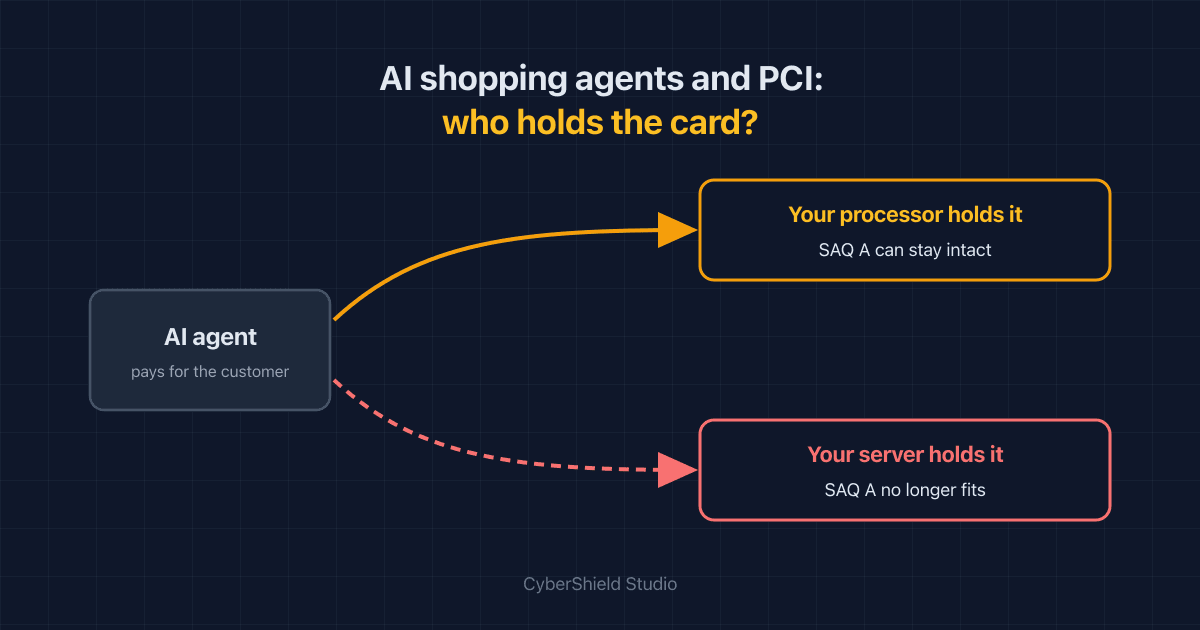
Agentic Commerce and PCI: Will AI Shopping Agents Push You Out of SAQ A?
AI agents that buy on a customer's behalf can leave your SAQ A intact or quietly drag card data onto your servers. Which one depends on a single integration choice.
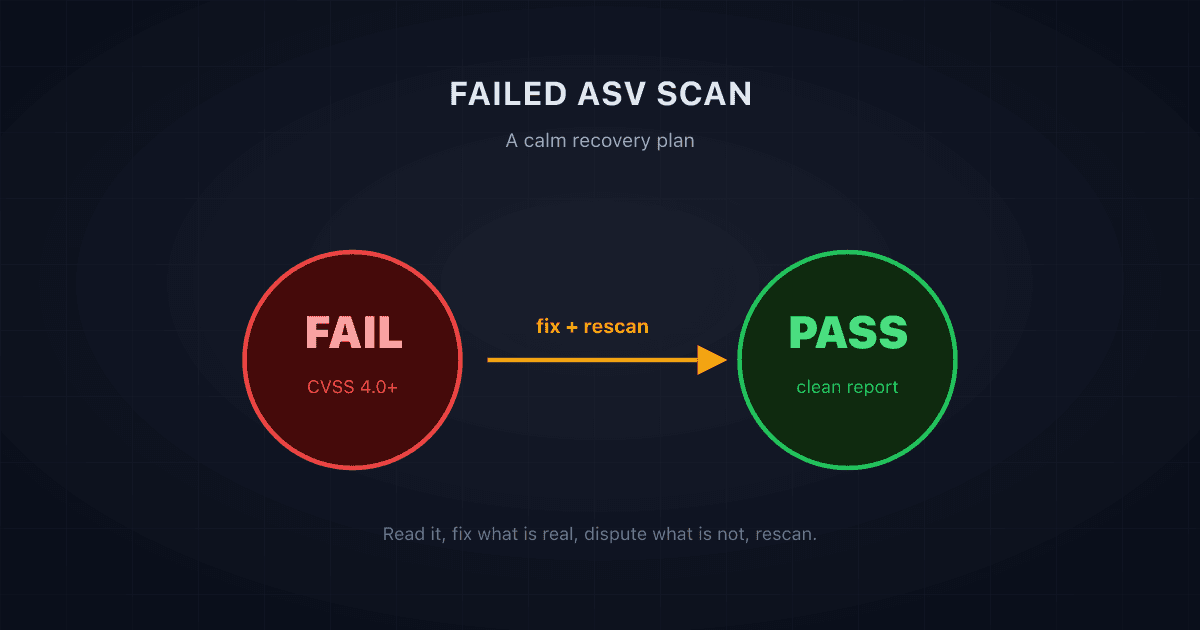
Failed Your ASV Scan? A Calm, Step-by-Step Recovery Plan
A failed ASV scan is common and fixable. Here is a calm, step-by-step recovery plan: what a failing result means, what to fix first, and how to rescan to a pass.
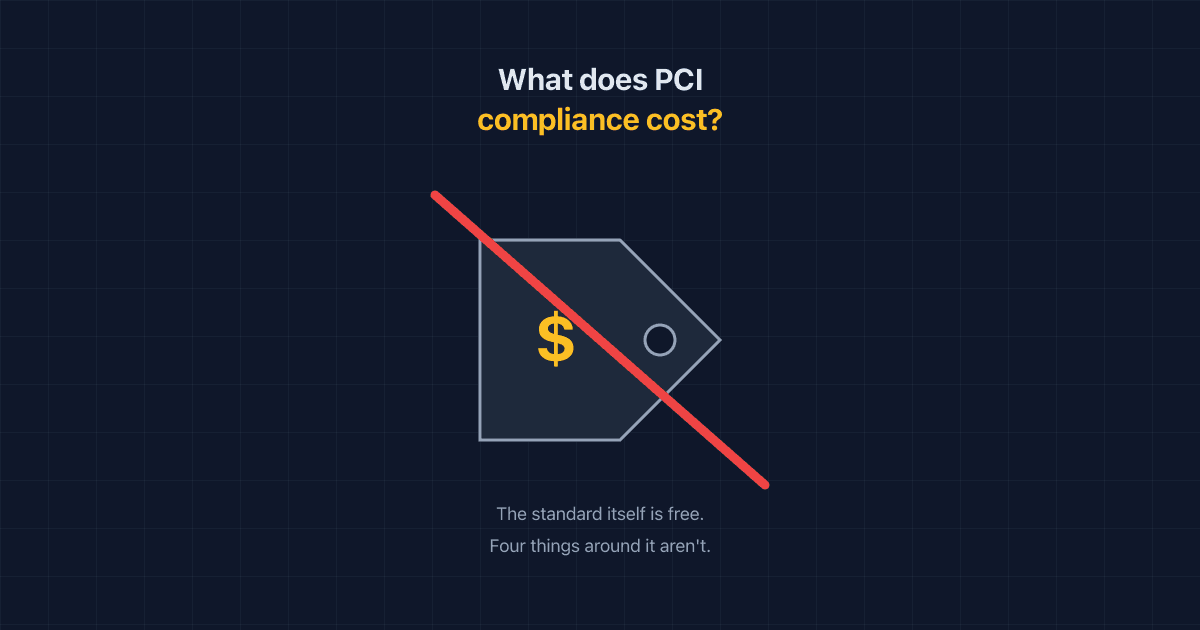
How Much Does PCI Compliance Actually Cost a Small Online Store?
PCI compliance costs come from four places: non-compliance fees, ASV scans, your own time, and a QSA if your scope grows. Here's the real math for a small store.