"Vibe-Coded" Plugins and the WooCommerce Supply-Chain Risk in 2026
A CVSS 9.8 backdoor in a plugin with 200,000+ installs showed what happens when AI-generated code ships without security review. Here's what WooCommerce store owners need to know.
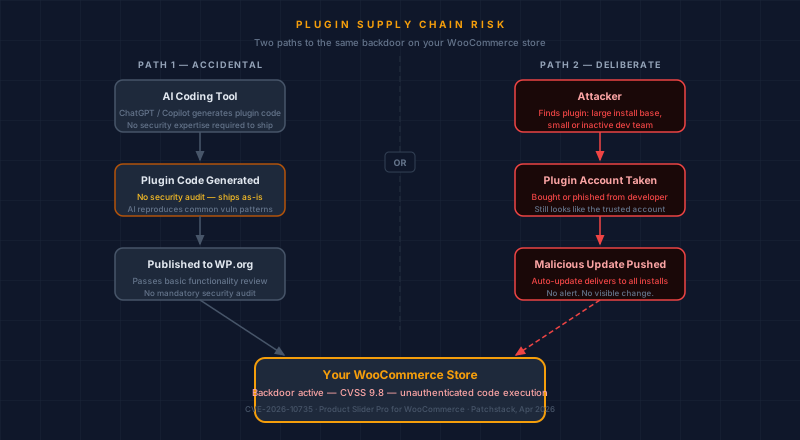
A critical backdoor was discovered in Product Slider Pro for WooCommerce in April 2026. Patchstack rated it CVSS 9.8, the highest severity tier. An unauthenticated attacker could execute code on any unpatched store with no login required. The plugin had over 200,000 active installs at the time of disclosure (Patchstack, April 2026).
Most of those store owners had no idea it was sitting on their site.
This is one of five threats covered in our series AI vs. Your Store, which tracks how AI is reshaping the threat picture for ecommerce merchants in 2026. This piece covers a risk that doesn't require any AI on the attacker's side — just the speed that AI-assisted development has introduced on the builder's side.
What happened with CVE-2026-10735?
CVE-2026-10735 is a remote code execution flaw in Product Slider Pro for WooCommerce by ShapedPlugin. Patchstack disclosed it in April 2026 with a CVSS 9.8 score. An unauthenticated attacker could upload a malicious file through a vulnerable endpoint and execute it with your web server's permissions — no account, no credentials needed. The Hacker News covered the disclosure the same week it dropped.
The specific flaw was in how the plugin handled file uploads. It trusted the client's reported file type rather than validating the actual file content. After public disclosure, the endpoint became public knowledge. ShapedPlugin issued a patch. The window between disclosure and patching is when damage happens.
For a WooCommerce store that takes card details on its own pages, "code execution on your server" means access to your database, your order history, and the form where customers type their card numbers.
A plugin's install count is not a signal of its security. Product Slider Pro had over 200,000 active installs. That install count made the vulnerability more dangerous, not less — a single exploit tool could scan for and target all of them automatically.
What is "vibe coding" and why does it create plugin security problems?
Vibe coding is the informal name for a workflow that spread quickly in 2025 and 2026: describe what you want to an AI assistant, accept the generated code, ship it. Plugins get written in hours. Functionality works. The problem is that security patterns are reproduced at the same rate everything else is.
Missing authentication checks on sensitive endpoints. File upload handlers that trust the client's reported file type. Input passed directly to database queries without sanitization. These are documented vulnerability classes that security researchers have catalogued for decades. AI code generation reproduces them at scale, across a plugin ecosystem that Patchstack's annual security research consistently identifies as the source of the overwhelming majority of new WordPress vulnerabilities — plugin code, not WordPress core, is where risk concentrates.
The WordPress.org plugin review process checks that submissions function correctly and meet basic coding standards. It does not include a security audit of every line of every submission. A plugin can pass review and carry a critical flaw.
How does a deliberate supply-chain attack use plugins to compromise WooCommerce stores?
In a deliberate supply-chain attack on the plugin ecosystem, an attacker doesn't need to compromise your store directly. They find a plugin with a large install base and a small or inactive development team, acquire the developer's account through purchase or phishing, and push a malicious update. WordPress auto-updates deliver it silently to every store running that plugin.
The update looks entirely legitimate. It comes from the same account that's always maintained the plugin, through the same update channel that normally delivers security fixes. Your store accepted it because it had no reason not to.
This is the same structure as the Polyfill.io incident in 2024, where a CDN used by millions of sites was acquired and its JavaScript files were replaced with malicious versions. The delivery mechanism is different. The shape of the attack is identical: something you trusted became the threat. Our post on what a supply-chain attack is covers this pattern in full.
Which WooCommerce stores face the highest risk?
Three factors determine how much exposure your store has to plugin supply-chain attacks: how many plugins you have installed, how quickly you apply security updates, and whether customers enter card details on your own pages. The last factor determines what an attacker can do with access.
Plugin count. Every plugin you install is a trust relationship with a developer, their update infrastructure, and whatever third-party libraries they depend on. Stores that accumulate plugins for sliders, popups, review widgets, and shipping calculators have more attack surface to maintain. A plugin you installed two years ago and never removed is still running code on your site.
Update lag. Automated exploit tools scan for vulnerable plugin versions within hours of a CVE going public. The window between disclosure and patching is when attacks happen. Keeping plugins updated doesn't prevent zero-days, but it closes the known-vulnerability window as fast as possible. What it leaves open looks like StyleSmuggler, the Magento and Adobe Commerce zero-day Sansec found under active attack in September 2026 with no patch available to apply.
Direct card processing. If your WooCommerce checkout page captures card numbers on your own server, a compromised plugin can inject code that copies those numbers before the legitimate payment goes through. This is how Magecart attacks work. It doesn't apply in the same way to stores that redirect customers to Stripe Checkout, PayPal, or Shopify Payments at payment time. The redirect checkout is unglamorous but it removes most of this attack surface.
What can I do right now to reduce the risk?
Four steps reduce your plugin supply-chain exposure without needing a security team. Audit what's installed and remove anything idle. Apply pending security updates immediately. Scan your checkout page for unexpected scripts. And if you take cards directly on your own pages, understand what your PCI setup requires.
Audit your installed plugins. Go to your WordPress admin, open the Plugins screen, and remove anything you are not actively using. Inactive plugins are still attack surfaces. If anything has a pending security update, apply it before moving on.
Scan your checkout page. After any plugin update, it's worth confirming that no new scripts appeared on your payment page. Our free Webpage Security Checker shows you what's running on any URL you submit, in under a minute.
Set up script monitoring. Scanning occasionally catches problems after they've started. The more thorough approach is continuous monitoring: knowing within hours if a new script appears on your checkout page, rather than discovering it weeks later from fraud reports. Our Checkout Script Monitor plugin tracks your payment page's script inventory and alerts you when something changes.
Know your scan requirement. If your WooCommerce store takes card details directly on your own pages, you likely fall under SAQ A-EP or SAQ D. Both require quarterly external vulnerability scans. A CVSS 9.8 plugin vulnerability on a live store is exactly the kind of exposure those scans surface. The SAQ Selector can help you identify which type applies to your setup.
Why should I trust the Checkout Script Monitor if supply-chain attacks are the topic?
That's the right question to ask about any plugin, especially on a post about supply-chain risk. The short answer: the Checkout Script Monitor is open source, published on WordPress.org, and the full source is on GitHub. You can read the code before installing it.
There are no obfuscated files, no undocumented external connections, and no update server outside WordPress.org's standard infrastructure. The maintainer is a named CISSP/PCIP professional who signs off on every release. That's the same supply-chain transparency standard worth applying to every plugin you add to your store: who maintains it, can you audit it, and what does an update actually do?
If your store takes cards on its own WooCommerce pages and you want a professional assessment of your checkout's exposure, the founder-led checkout review is where to start. It covers payment-page scripts, external vulnerability exposure, and the gap between what automated scanners catch and what an expert review finds.
Dennis Wu, CISSP · PCIP, has 30+ years of experience in security advisory and ecommerce compliance. CyberShield Studio provides AI-assisted security review with expert validation for merchants processing payments online.
Next steps
Subscribe to the Newsletter
PCI compliance guides and ecommerce threat intelligence, straight to your inbox.
No spam, unsubscribe anytime. We handle your address as described in our privacy policy.
Related Articles
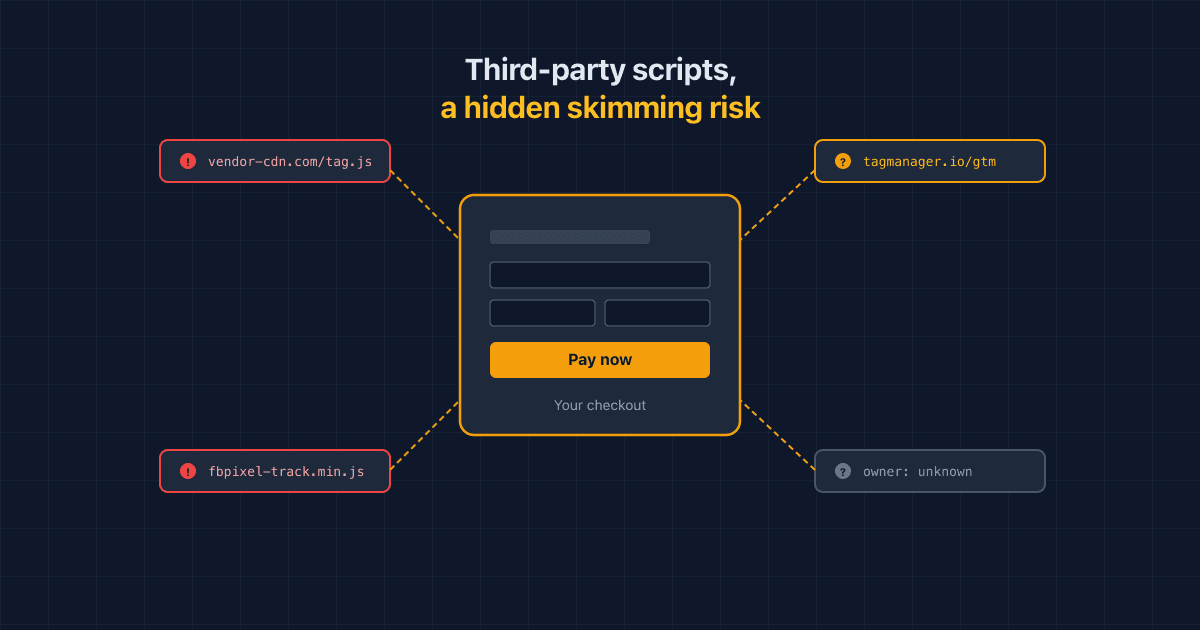
Third-Party Scripts Are a Hidden Skimming Risk on Your Checkout, Sucuri Warns
Sucuri warns that ordinary third-party scripts and tags can turn into a skimming risk on checkout pages. Here's how, and what PCI DSS 6.4.3/11.6.1 ask you to do.
What is a Magecart Attack? A Plain-English Guide for Online Store Owners
Magecart attacks quietly steal your customers' card numbers as they type. Here's how they work, why they hit small stores just as often as big ones, and what you can do about it.
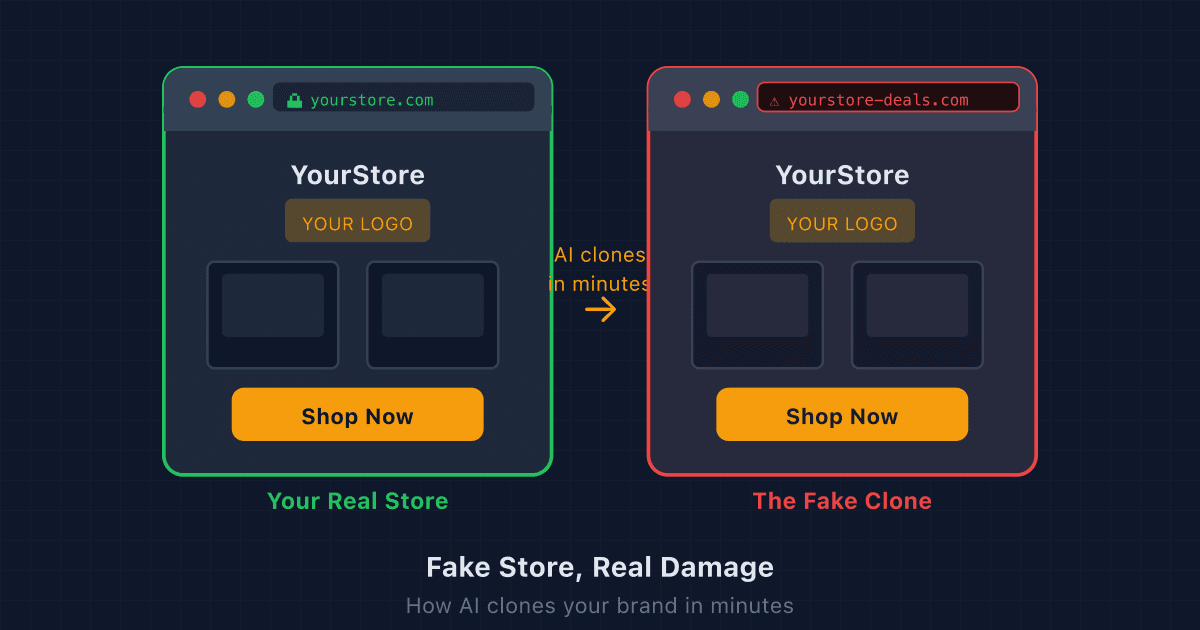
Fake Store, Real Damage: How AI Clones Your Brand in Minutes (and What to Do)
AI tools let scammers copy your entire online store in minutes. Here's how to find a fake store using your brand, get it taken down, and make your real store harder to impersonate.