What Is a CIPA Demand Letter? A Plain-English Guide for Store Owners
What a CIPA demand letter is, what California's wiretapping law actually says, why many of these claims are weaker than they look, and what to do first.
A CIPA demand letter is a letter from a law firm saying the tracking code on your website recorded a visitor without their consent, and asking you to pay to settle before anything is filed in court. It is not a fine and it is not a lawsuit. Most set a reply date a few weeks out.
I have spent thirty years in security and hold CISSP and PCIP certifications. None of that makes me a lawyer, and nothing here tells you what your letter means or what to do about it. What I can explain is the technical claim underneath it, because that part is checkable, and most of what merchants get told about it is either alarmist or wrong.
What is a CIPA demand letter?
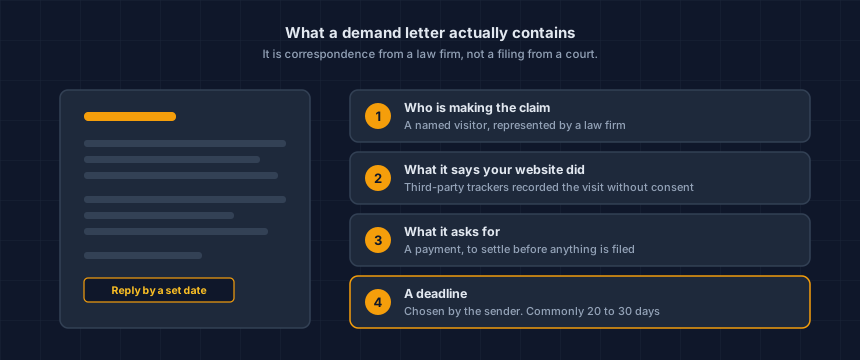
CIPA is the California Invasion of Privacy Act. A demand letter under it is pre-litigation correspondence: a law firm writes on behalf of somebody who says they visited your site, asserts that trackers on the page intercepted their session, and proposes a settlement figure. No court has looked at any of it.
The letters are written to read like a conclusion. They are not one. A demand letter is one side's account of events, drafted by the side that profits from you accepting it without argument.
They are also not personal. A handful of firms send most of these letters, and they send them at volume.
Ketch's guide to CIPA demand letters walks through the mechanics from the receiving end, which is worth ten minutes if a letter is sitting on your desk.
Why did my store get one?
Because your site loads third-party tracking code and somebody in California opened a page. That is the whole qualifying test, and nothing about your store singles it out.
An advertising pixel or an analytics tag is visible to anybody who loads your page. You do not need access to a store to see what it runs.
Platform makes no difference. Section 631 has no carve-out for Shopify, WooCommerce, BigCommerce or a custom build, and it reaches any US-facing website.
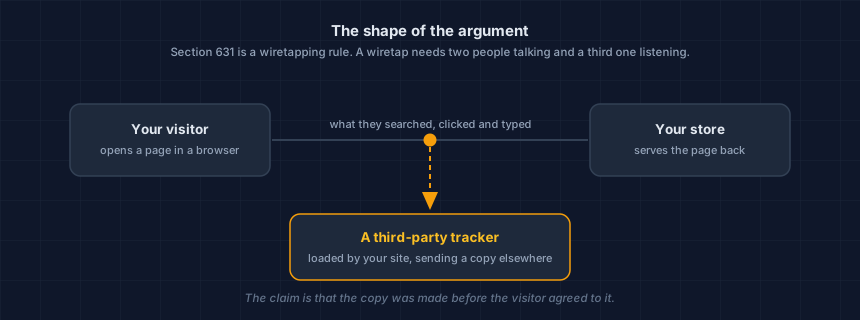
The argument borrows the shape of a phone tap. Two parties are talking, your visitor and your store, and a third party is on the line. Whether an advertising pixel is really that third party, or just a tool the store is using on its own behalf, is what the courts have been arguing about.
What does section 631 actually say?
It is the wiretapping provision of CIPA. It sets statutory damages of $5,000 per violation, requires no proof that anybody was harmed, and applies to any US-facing website regardless of platform. Those three facts together are why an industry of letters exists.
That figure is the lever. It is also where honest explanation stops, because what it adds up to in one particular case depends on facts I cannot see from outside your website.
If you are holding a letter, the arithmetic in it is a conversation with a lawyer. Any vendor who quotes you an exposure number from a scan result is guessing, and doing it to sell you something.
Are these claims as strong as the letters sound?
Often weaker, and that is a documented pattern rather than a pep talk. Courts have been dismissing tracking claims against ordinary retailers on jurisdictional grounds, and in July 2026 one prolific claimant was declared a vexatious litigant.
Hold that alongside the volume. The law firm Stinson LLP, in a January 2026 privacy litigation alert, counts just over 200 online privacy lawsuits filed in 2023 and nearly 4,000 in 2024.
That is a law firm's tally in a client alert rather than a court docket count, and firms who publish these figures have an interest in them. Read it as a direction, not a measurement.
Relief is narrower than it sounds. A reform bill, SB 690, was signed on September 30, 2026 and takes effect on January 1, 2027. It removes the private right of action only for a different provision, section 638.51. Section 631 survives intact. What SB 690 changes about tracking demand letters covers the details. (Updated October 18, 2026. This paragraph first said the bill had stalled, which was true in July.)
Both are true at once. These claims are not going away, and they are not the certainty the letters describe. You need both halves to make a decision, and you are rarely handed both.
None of it says anything about your letter. I have not read it, I do not know which theory it pleads, and a pattern across reported decisions is not a forecast for one case.
What is the deadline in the letter?
Most of these letters give you 20 to 30 days. That window is consistent across the privacy vendors and practitioners who write about them, and it is not a number I can point you to in the statute. The date on the page was picked by the firm that sent it. Whether it binds you is counsel's call.
What the deadline reliably does is compress a technical question into two weeks of pressure. Pressure is what makes people start changing settings on their store before anybody has written down what those settings were doing. That order is the one thing in this article I would argue with you about.
Does my cookie banner mean this does not apply to me?
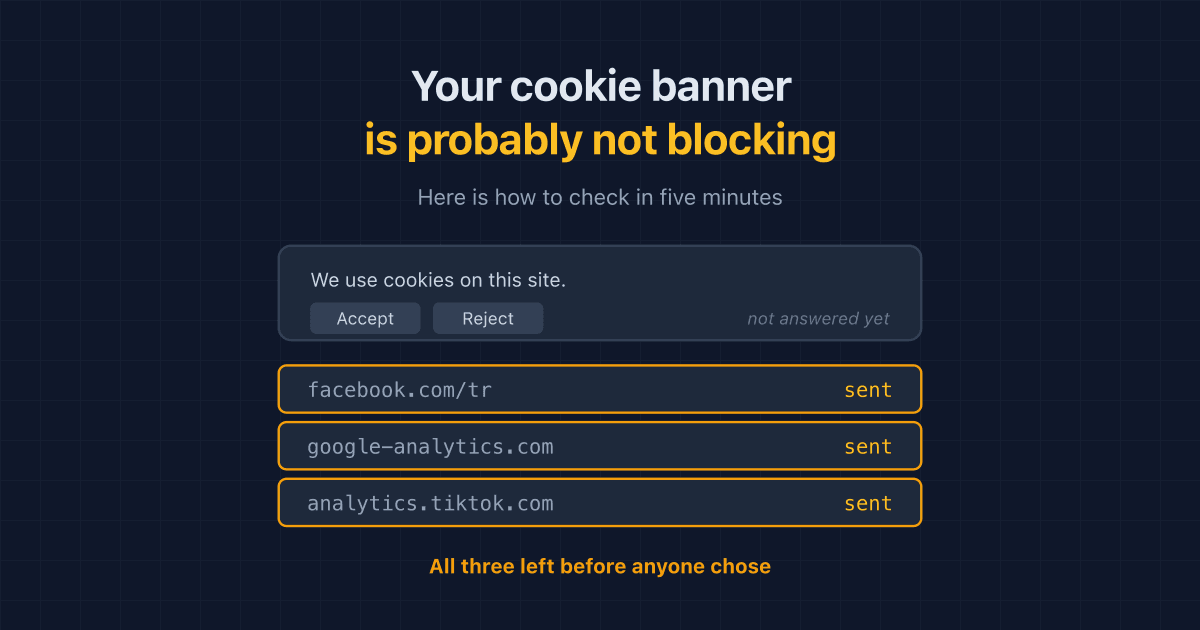
Probably not, and this is the half I can actually check. Most banners record a shopper's choice and pass it to vendors afterwards, rather than holding the tags back. If the pixel loaded and transmitted before the visitor clicked anything, the banner changed nothing about what happened on that visit.
Signalling a preference and enforcing one are different jobs. Most consent tools do the first.
Google Consent Mode v2 does not close the gap either. In advanced mode it sends traffic to Google before a visitor interacts with the banner by design, and it only ever speaks to Google. Other vendors' pixels, misconfigured triggers and duplicate tags on your theme sit outside its reach.
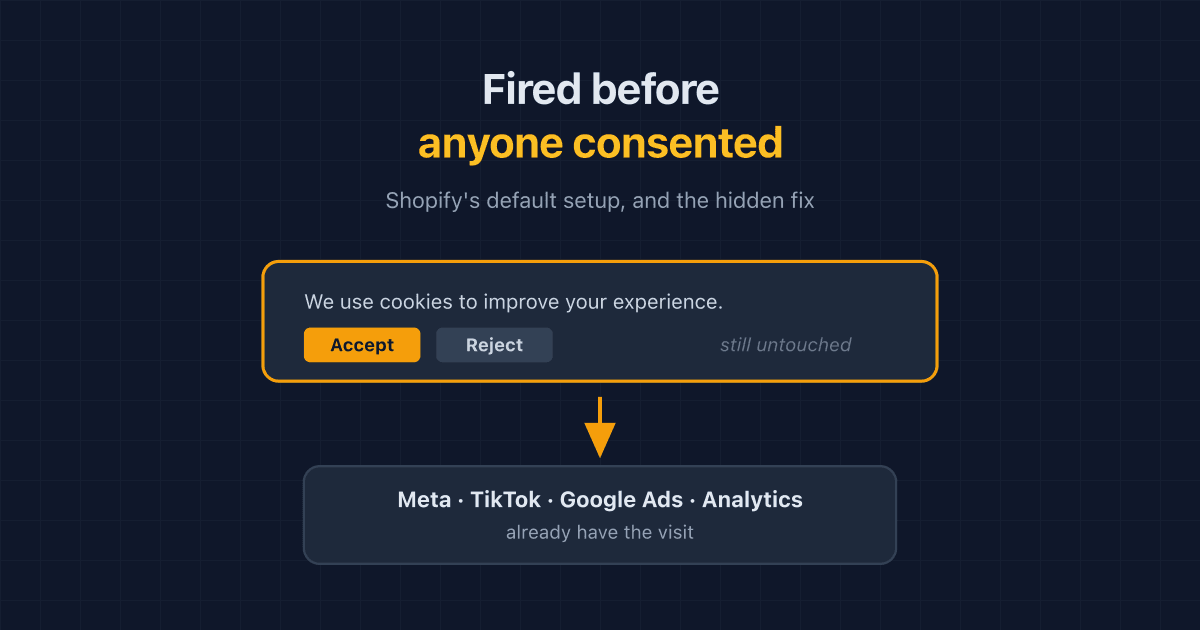
On Shopify the default is worse than most owners believe: app pixels and custom pixels run at page load even when Customer Privacy permissions are marked required. I wrote that one up separately, including the undocumented admin path that turns it off, in Shopify fires your pixels before consent by default.
Here is the number that changed how I talk about this. When we built our tracking scanner in August 2026 we ran it against a 29-site reference set assembled for testing. Two sites held their trackers back until the visitor answered, and one of those two was a consent vendor's own website.
That is an engineering test set rather than a random sample of stores, so treat it as an illustration and not a survey. It still matches what we see on live storefronts: a banner is usually a notice, not a gate.
What should I do first, and in what order?
Four steps, and the order carries most of the value.
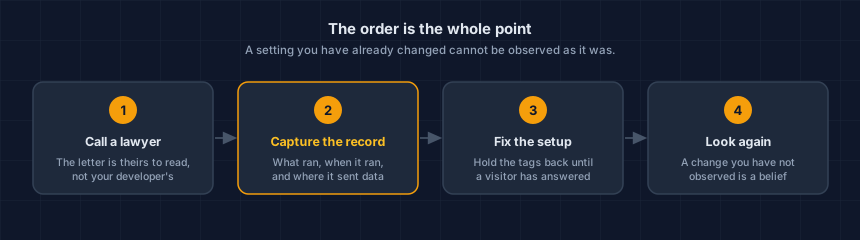
- Call a lawyer. The letter is theirs to read. Your developer is not, and neither are we.
- Capture what the store is doing now, before anybody touches a setting. What loads, when it loads relative to the banner, and where it sends data.
- Then fix the setup, so tags are held back until a visitor has answered.
- Then look again from outside, and compare. A change nobody has observed is a belief rather than a result.
Step two is the one people skip, and it is the one that cannot be redone. The moment a setting changes, the previous behaviour of your store is gone. Nobody can go back and observe last Tuesday.
Do not delete pixels in a panic on the day the letter arrives. Write down what was there first. Your lawyer may want to know, and you certainly will when you are trying to work out which app added the thing.
What can a technical record show, and what can it not?
It shows what your store was doing, with timestamps. It says nothing about your legal position. Being clear about that line is the difference between a useful document and a liability.
| What a record shows | What it does not show |
|---|---|
| Every script and tracker that loaded on the page | Whether a claim against you is valid |
| Whether each one fired before or after the banner was answered | What a claim is worth |
| Which company each request went to | Whether to settle or fight |
| The date and time it was observed | What your specific letter means |
We report the first column. The second column belongs to your counsel, and a vendor who blurs the two is doing you harm.
What if no letter has ever arrived?
Then you are in the better position, and the reason to look is not the letter anyway. Your store is probably sending customer data to advertising networks your own banner implies it is not sending, and you did not choose that. It got there through an app install, a theme edit, or a campaign somebody set up in 2023.
If one of those changes causes a problem, you find out eventually: from a processor notice, a law firm's letter, or a customer whose card details were stolen. Those are worse messengers than a scan result on a Tuesday morning.
How do I see what my own store is doing?
Load your storefront the way a first-time shopper does, without answering the banner, and list everything that transmitted. That is the entire test, and it takes about a minute.
Our Website Tracking Checker does exactly that from outside your site. No account, nothing installed on your store, and no click on your own banner, so what it reports is genuinely the pre-consent state. If you want the reasoning behind observing a store from the outside rather than from a script inside it, the platform page explains the method.
While you are looking at third-party code, the same question applies to the page that takes card details. The Webpage Security Checker covers that side.
One thing before you close the tab
You can clean every tracker off your store today and be wrong about it by November. An app update adds a pixel. A theme edit restores an old tag. An agency ships on a Friday. None of those send you an email, which is the subject of a new script appeared on your store, would you know?
This is your store today. App updates, theme edits and new agency work change it — usually without anyone telling you.
Run the free check, verify your domain, and keep it running. The point is not to have looked once. It is to hear about the next change from us rather than from a stranger with a deadline.
Dennis Wu is a certified security and PCI professional (CISSP · PCIP) with over 30 years in the field, working with ecommerce merchants in the $1M–$50M range who have no in-house security team. Questions about your own store's setup? Get in touch or see what a monitored plan covers.
Next steps
Subscribe to the Newsletter
PCI compliance guides and ecommerce threat intelligence, straight to your inbox.
No spam, unsubscribe anytime. We handle your address as described in our privacy policy.
Related Articles
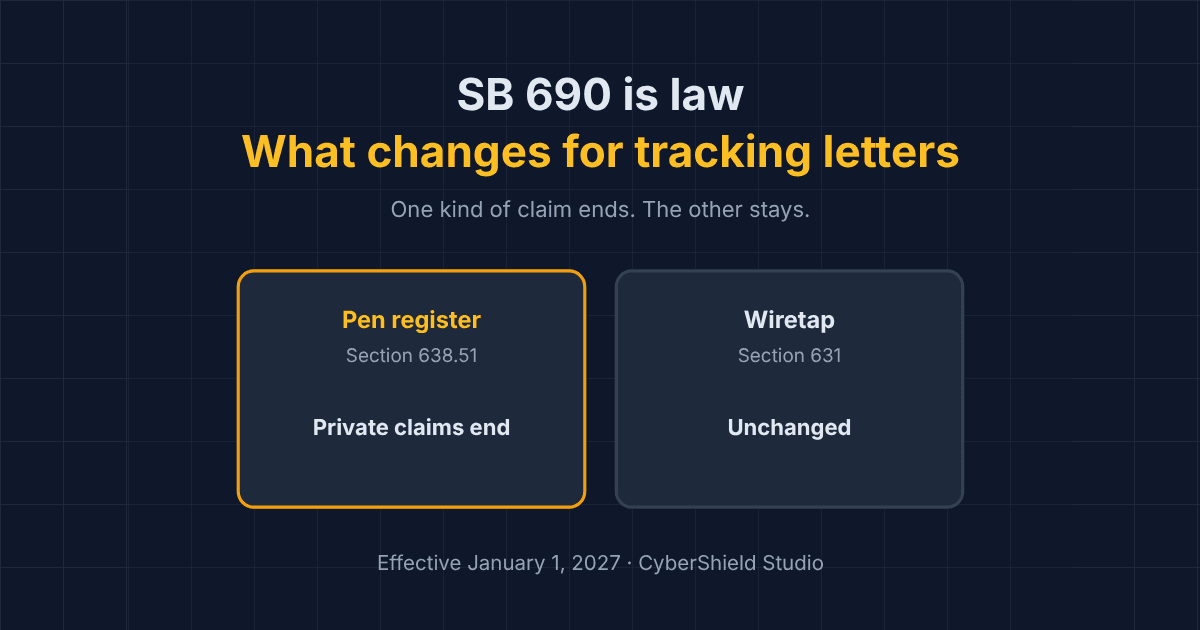
What SB 690 Changes About Tracking Demand Letters for Your Store
California's SB 690 ends private pen register claims over website trackers from January 1, 2027. Wiretap claims stay. What it means for store owners.
Your Cookie Banner Probably Isn't Blocking Anything. Here's How to Check in Five Minutes
Most cookie banners record a shopper's choice without holding trackers back until it is made. A plain-English way to check what your own store sends before anyone answers.
Shopify Fires Your Pixels Before Consent by Default. The Fix Is Hidden.
Shopify app pixels and custom pixels send data before a shopper answers your cookie banner, even when permissions look required. How to check, and the hidden fix.