Shopify Fires Your Pixels Before Consent by Default. The Fix Is Hidden.
Shopify app pixels and custom pixels send data before a shopper answers your cookie banner, even when permissions look required. How to check, and the hidden fix.
Shopify app pixels and custom pixels run when the page loads, before a shopper answers your cookie banner. They keep running even when consent permissions are marked required. Switching that off takes about two minutes, but the setting sits behind a menu path Shopify does not document, and almost nobody finds it by accident.
I have spent thirty years in security and hold CISSP and PCIP certifications, which mostly means I have seen a lot of configurations that look right in an admin panel and behave differently in a browser. This is one of them. Your admin says one thing. A browser loading your store says another.
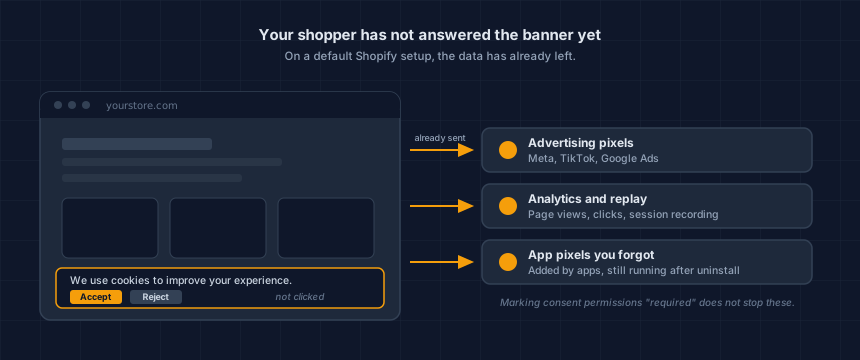
Does Shopify really fire pixels before consent?
Yes, on a default setup. App pixels and custom pixels load and transmit as the page renders, which is before your banner has been answered and often before it has been drawn. Marking permissions as required in Customer Privacy does not change this, because that setting governs what a pixel declares rather than whether it runs.
Analytics Ninja documented this in detail in January 2025, and it matches what our own scanner sees on live Shopify storefronts.
The gap it creates is easier to see on a timeline than in prose.
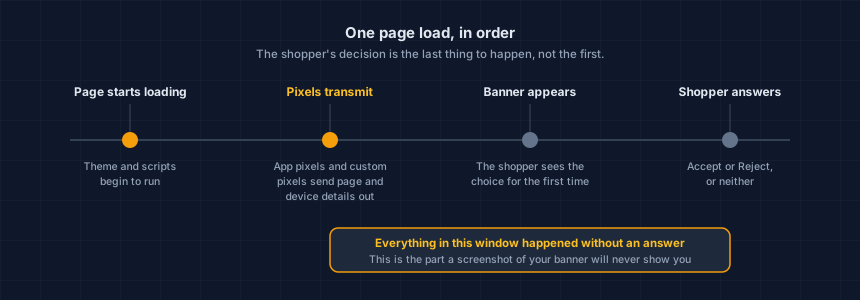
Pixels from apps you uninstalled months ago can still be firing. A shopper who closes the tab without touching the banner has already been counted.
Why doesn't my cookie banner stop it?
Because signalling a preference and enforcing one are different jobs, and most banners do the first. The banner records what the shopper chose and passes that choice to vendors who have agreed to respect it. A pixel that already loaded and already sent its request is not retrieved by a signal that arrives afterwards.
Blocking means the consent tool holds the tags back until the shopper answers. That is harder to build, and most banner apps do not do it. This is not a Shopify problem, it is a consent-tool problem, and checking whether your banner blocks anything takes about five minutes on any platform.
A banner that looks correct in a screenshot tells you nothing about what transmitted before it appeared. The only way to know is to load the page from outside and watch.
Google Consent Mode v2 does not close this either. In advanced mode it intentionally sends traffic to Google before a visitor interacts with the banner, which is Google's documented design rather than a bug. It also only speaks to Google. Other vendors' pixels, misconfigured triggers, and duplicate tags on your theme are all outside its reach.
How do I check my own store in two minutes?
Load one page of your storefront the way a first-time shopper does, without answering the banner, and list every advertising, analytics, session-replay and chat service that transmitted. That is the whole test.
You want the view from outside. Your admin will not give you it.
Our Website Tracking Checker does this free, without an account, and without clicking anything on your site, so what it reports is genuinely the pre-consent state.
Run it before you touch a setting. You want a before-and-after, and you want to know which pixels are actually yours.
Pixels are only one category of script. If you want the complete list of everything running on your store, not just the trackers, here's where Shopify scripts actually come from and how to get the full inventory.
Where is the hidden fix in the Shopify admin?
The path is Settings, then Customer privacy, then More actions, then Set custom banner regions, then back to More actions, then Remove cookie banner. Step four is where people give up, because it sends you back to a menu you have already been in and nothing on screen suggests you should return there.
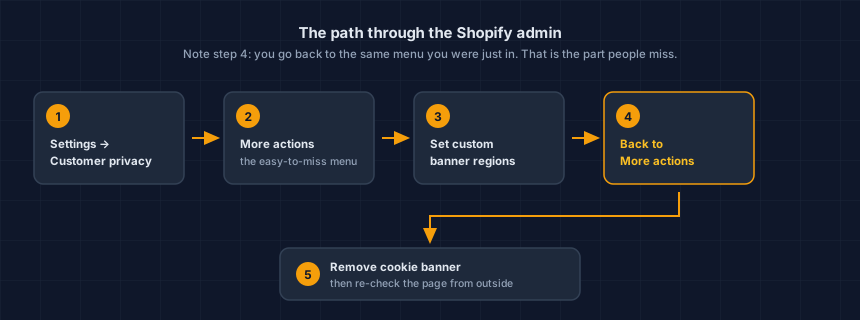
Shopify built a consent interface that implies control it does not deliver by default, then put the switch behind a menu you have to open twice. I do not think that is malicious. I do think it is the kind of default that quietly makes merchants wrong about their own stores.
This path is documented by practitioners, not by Shopify. Menus change. Treat the sequence as a starting point, confirm each step in your own admin, and if you rely on Shopify's banner for a specific region, check the change with whoever set up your privacy configuration before you make it.
Then re-run the check. If the pixels that were transmitting before are gone from the pre-consent list, the change did what you wanted. If they are still there, something else on the store is loading them and the banner was never the cause.
That verification step is not optional. A configuration change you have not observed from outside is a belief, not a result.
Is this actually a problem, or just a scare story?
Fix it, but not for the reason you are about to be sold.
The gap is real. The legal threat built on top of it is far less settled than the people sending demand letters would like you to think, and I would be suspicious of anyone who hands you only one of those two facts.
California's Invasion of Privacy Act, known as CIPA, includes a wiretapping provision at section 631. Claims under it allege that third-party trackers on a website intercept communications between a visitor and the site operator without consent. It applies to any US-facing website, whatever platform it runs on.
The law firm Stinson LLP, in a January 2026 privacy litigation alert, counts just over 200 online privacy lawsuits filed in 2023 and nearly 4,000 in 2024. That is a law firm's tally in a client alert, not a court docket count, and firms publishing these figures have an interest in them. Treat it as a direction, not a measurement.
Now the part the volume reporting leaves out. Courts have been dismissing these claims against ordinary retailers on jurisdictional grounds, and in July 2026 one prolific claimant was declared a vexatious litigant. A proposed reform, SB 690, stalled in the California Assembly in the same month, and the narrowed version on the table would not have touched section 631 anyway.
If a letter has already arrived, what a CIPA demand letter is, in plain English covers what it claims, what section 631 actually says, and what to do in the first week.
The claims are not going away. They are also not the certainty some vendors describe. The reason to fix this is not the letter you might receive. It is that your store is sending customer data to advertising networks your own banner says it is not sending, and you did not choose that.
We tell you what was running and when. We do not interpret demand letters, assess how strong a claim is, or estimate exposure. If you have received one, that is a conversation for your counsel, and a timestamped technical record of what your store was actually doing is a useful thing to bring to it.
What should I do this week?
Four steps, in order, and the whole thing fits in a lunch break.
- Check the store from outside. Run the Website Tracking Checker against your homepage and your cart page and note what transmitted before consent.
- Walk the Customer Privacy path above, confirming each step in your own admin.
- Re-run the check and compare. The list should be shorter. If it is not, the pixels are coming from your theme or an app rather than from Shopify's consent configuration.
- Look at what is left. Anything still transmitting is now a decision you are making on purpose.
While you are looking at third-party code, the same question applies to the page that takes card details. Our Webpage Security Checker covers that side, and what PCI DSS v4 expects of payment-page scripts explains why the inventory matters there too. Shopify runs that page for you, though not the whole obligation: is Shopify PCI compliant? sets out what stays with the merchant. If the idea of code arriving on your store through a vendor you did not vet is new, supply chain attacks is the background reading.
One thing worth knowing before you close this tab
You can fix every one of these today and be wrong about it next month. An app update adds a pixel. A theme edit restores an old tag. An agency ships on a Friday. None of those events send you an email. That problem is bigger than pixels, and I have written it up on its own: a new script appeared on your store, would you know?
This is your store today. App updates, theme edits and new agency work change it — usually without anyone telling you.
That is the actual problem, and a one-off check is not the answer to it. Run the free check, verify your domain, and keep it running. You will hear about the next change from us rather than from someone else.
Dennis Wu is a certified security and PCI professional (CISSP · PCIP) with over 30 years in the field, working with ecommerce merchants in the $1M–$50M range who have no in-house security team. Questions about your own store's setup? Get in touch or see what a monitored plan covers.
Next steps
Subscribe to the Newsletter
PCI compliance guides and ecommerce threat intelligence, straight to your inbox.
No spam, unsubscribe anytime. We handle your address as described in our privacy policy.
Related Articles
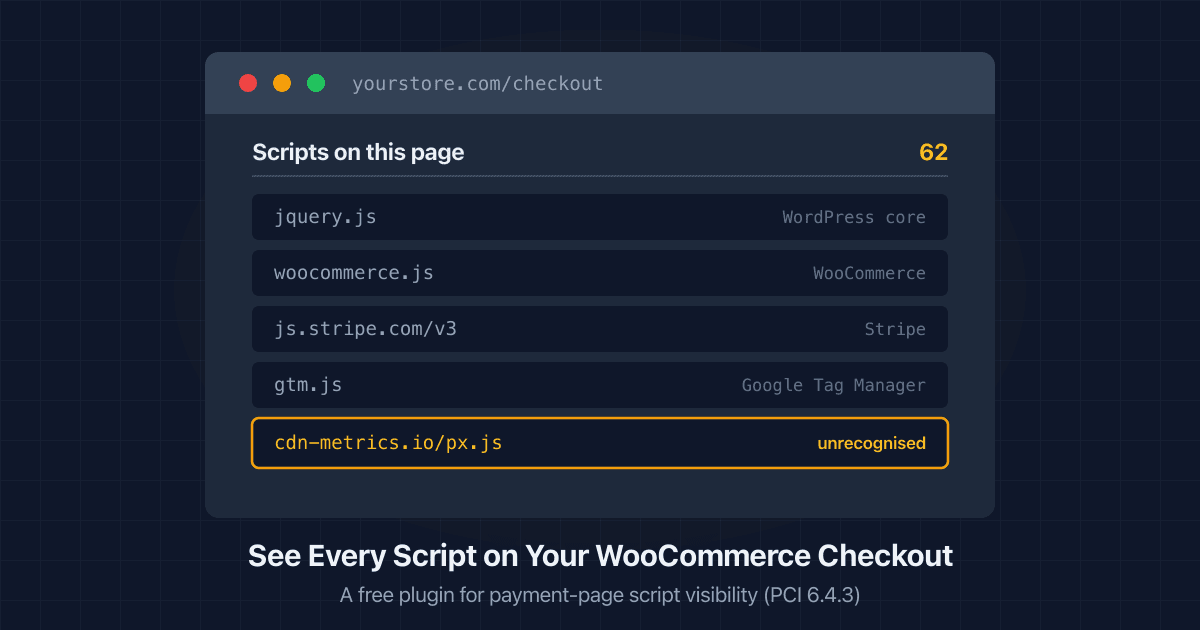
How to See Every Script Running on Your WooCommerce Checkout
WordPress has no screen listing the scripts on your checkout. Here's how to get a script inventory, what PCI 6.4.3 asks for, and a free plugin that does it.
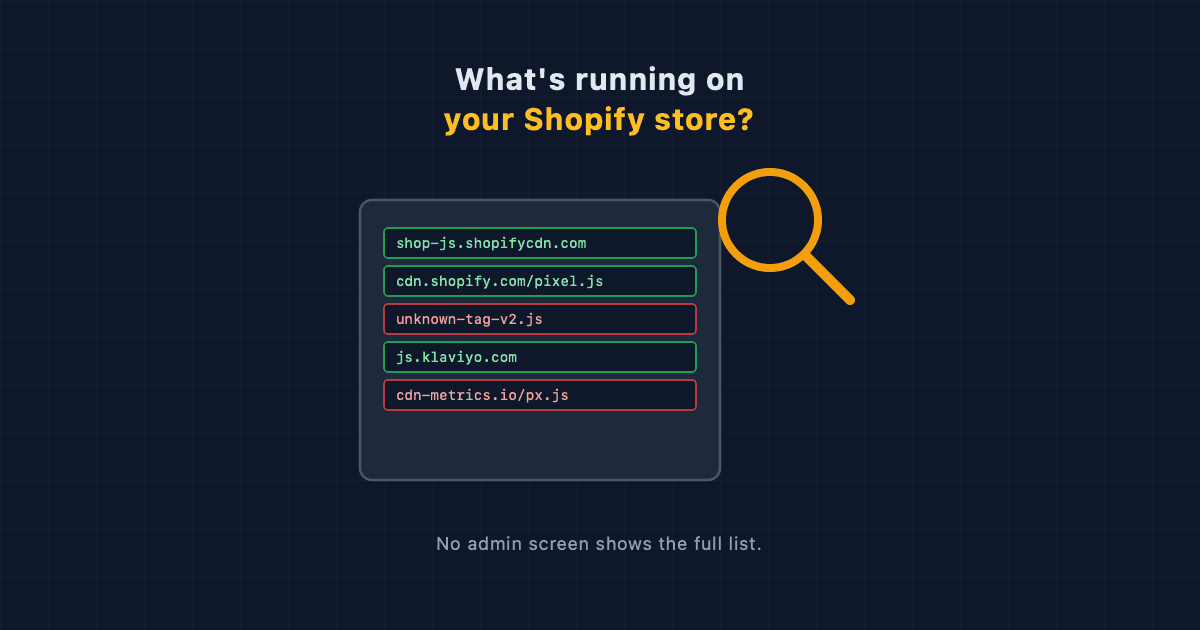
What Scripts Are Running on Your Shopify Store? How to Get the Full List
Shopify has no single screen that lists every script on your store. Here's where they actually come from, and how to get a complete inventory.
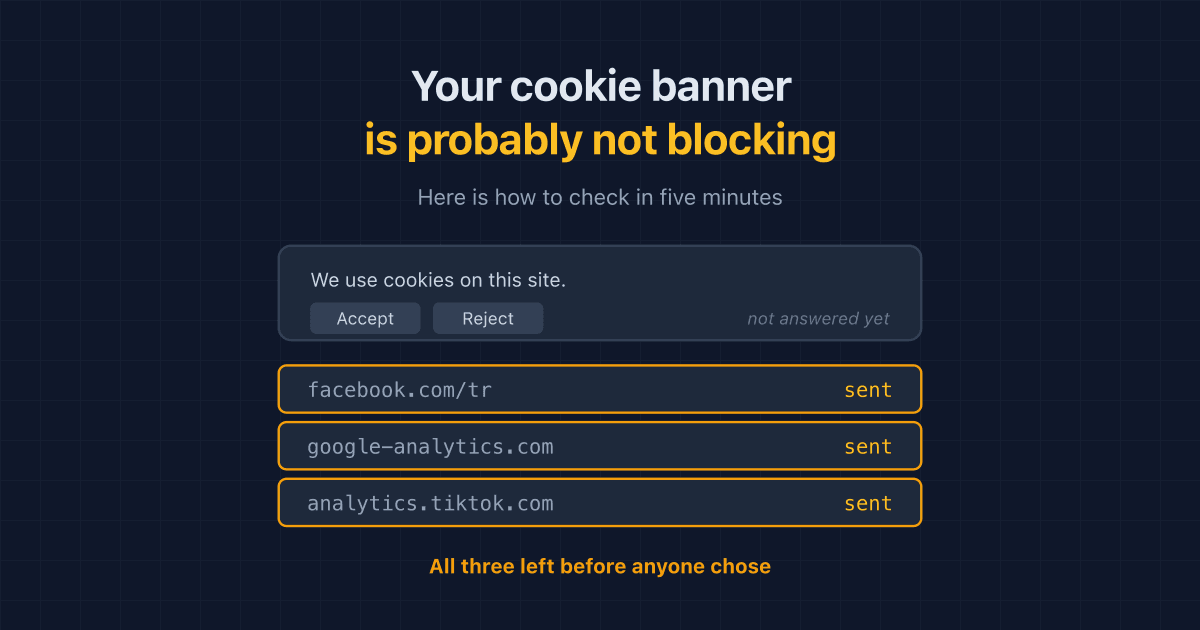
Your Cookie Banner Probably Isn't Blocking Anything. Here's How to Check in Five Minutes
Most cookie banners record a shopper's choice without holding trackers back until it is made. A plain-English way to check what your own store sends before anyone answers.