A New Script Appeared on Your Store. Would You Know?
Third-party scripts arrive on ecommerce stores through app updates, theme edits and agency deploys, with no alert. What drift is, how to detect website changes, and what matters.
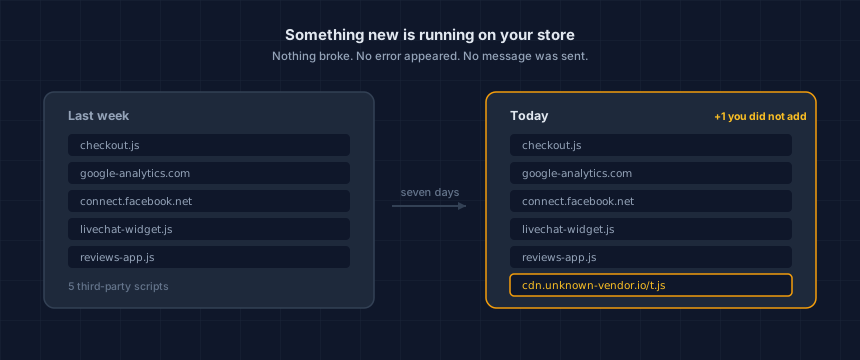
A script is a piece of code your store loads, usually from someone else's server, that runs in your customer's browser. New ones arrive on their own: an app update, a theme edit, a tag added in a marketing tool, an agency deploy on a Friday afternoon. Nothing breaks when one appears. Nobody emails you.
Which makes the useful question a different one from the one merchants usually ask. Not what is running on my store. What is running that was not running last week.
I have spent thirty years in security and hold CISSP and PCIP certifications. The single most common thing I find on a merchant's store is code the merchant cannot account for. Not malicious code, usually. Just code nobody remembers approving.
What is drift, and how is it different from being hacked?
Drift is an unintended change to your storefront, measured against the same store at an earlier point in time. Three things have to be true. There is a baseline to compare against. Something moved away from it. And nobody told you.
Remove any one of those and it is not drift. A change you approved is a deployment. A difference with nothing to compare against is just a description of your site today.
Being hacked is someone breaking in. Drift is your own stack changing underneath you, through doors you opened on purpose. The second is far more common, and it is the one nobody monitors.
Most drift is legitimate. An app you pay for adds a feature and ships a new script to power it. That is the system working. The problem is not that change happens. It is that you find out about it by accident, months later, if at all.
How does a new script end up on your store without you approving it?
Five routes, and only the first involves you clicking anything. You install an app. An app updates itself and brings a new vendor along. Someone edits the theme. An agency deploys. Or a tag gets added in a marketing tool by someone who has never seen your codebase.
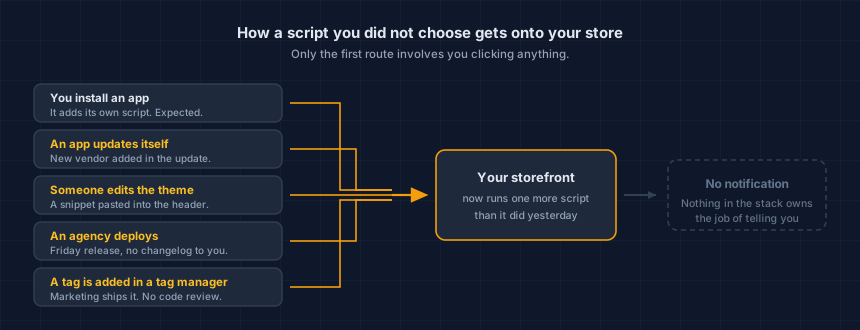
The self-updating app is the one that surprises people. You vetted the app in 2024. The vendor it now loads from was added in an update you never saw, because you agreed to automatic updates, which was the sensible choice.
Tag managers are the sharpest version of this. The entire point of one is to let marketing add tracking without touching code, which works. It also means a tag can land on your checkout without a single person who writes software ever seeing it.
That route works just as well for an attacker. Sucuri researchers found a credit-card skimmer on a checkout page disguised as a Facebook Pixel — one of four ordinary ways a third-party script turns into a skimming risk.
How much third-party code is normal?
More than most merchants expect. The HTTP Archive Web Almanac's 2025 Third Parties chapter found that at least 90% of pages load code from at least one third party, and the median page makes 83 third-party requests on desktop.
Those are individual HTTP requests, not 83 separate scripts. Images, fonts and tracking beacons all count, and the number is easy to overstate.
Third-party code is the normal condition of a modern store, not an edge case. Which is why "we do not really use third-party scripts" is almost never true when you go and look.
Why doesn't anyone tell you when it happens?
Because no part of your stack owns that job. Your platform tells you about orders, your host tells you about downtime, and each app tells you about itself. A new script belongs to none of those categories, so it produces no notification anywhere.
Nothing looks wrong, either. The page loads. Checkout works. Analytics keep reporting. A new script is invisible from the shop floor, and the only place it shows up is in the page your customer's browser actually assembled.
That is the failure mode worth naming: it is not that the alert is ignored. There is no alert.
How do I see what is running on my store right now?
Load one page of your store the way a shopper does and list every third-party service it pulled in. Our free Webpage Security Checker does this from outside your store, with nothing installed and no account. You can also do it by hand in your browser's developer tools, under the network tab — here's the full step-by-step method, on any platform.
On Shopify specifically, the admin has no single screen that shows this list. Here's where Shopify scripts actually come from, and how to get the complete inventory.
Start with your homepage, then your cart. If you take card details on your own domain rather than through a hosted checkout, check that page too, and read what PCI DSS v4 expects of payment-page scripts before you do.
The first list is not the point. The comparison is. A single inventory tells you what runs today, which quietly argues that you are finished. You are not finished until you have two lists from different days.
Which changes actually matter?
Most do not, and treating every change as an emergency is how people stop reading alerts. Three cases deserve attention the day you see them.
Anything new on the page that takes card details. That is the page an attacker wants, and a script there can read what a customer types. Magecart attacks work exactly this way.
Data going somewhere you do not recognise. A vendor domain you cannot name is worth ten minutes. Our free Website Tracking Checker lists where a page sends data before a shopper answers your cookie banner, which is its own problem on Shopify. If you assumed the banner was holding those vendors back, check whether it actually blocks anything before you trust it.
A script that lost its integrity check. If a script used to carry a hash proving it had not been altered and now does not, the code you vetted is not necessarily the code running. That is the mechanism behind most supply chain attacks.
Everything else goes in a list you review when convenient. A new font from a CDN is not worth your Tuesday.
One caveat on all of this. A check tells you what a page was doing at the moment it was checked. It is evidence, not a guarantee, and it does not make your store compliant with anything. What it gives you is the ability to answer "what was running, and when," which is a question you will eventually be asked by someone.
That someone is sometimes a law firm. If one has already written to you about the trackers on your site, what a CIPA demand letter is, in plain English covers what those letters claim and what to do in the first week.
How often should you check?
Weekly, for most stores. That is roughly how often apps update and agencies ship, so a slower cadence means you are routinely looking at a store that has already moved. Check more often if your storefront changes constantly, if you run a lot of apps, or if card details are entered on your own domain.
The honest reason to automate it is that manual checking does not survive a busy month. A calendar reminder loses to a product launch every time.
What to do this week
Three steps. None of them take longer than a coffee.
- Get today's inventory. Run the Webpage Security Checker on your homepage and your cart page.
- Read the list properly. Name the vendor behind every entry. The ones you cannot name are your real work.
- Set up the comparison. Whether that is a recurring reminder or an automatic weekly check, the value only starts on the second run.
The part that is easy to get wrong
You can do all of this today and be out of date by next month. That is not a failure of the check. It is the nature of a storefront that a dozen systems are allowed to modify.
This is your store today. App updates, theme edits and new agency work change it — usually without anyone telling you.
A one-off scan argues against itself by looking complete. Run the free check, verify your domain, and keep it running. The first report tells you where you stand. The ones after it tell you what moved.
Dennis Wu is a certified security and PCI professional (CISSP · PCIP) with over 30 years in the field, working with ecommerce merchants in the $1M–$50M range who have no in-house security team. Want a second opinion on what your own inventory turned up? Get in touch or see what a monitored plan covers.
Next steps
Subscribe to the Newsletter
PCI compliance guides and ecommerce threat intelligence, straight to your inbox.
No spam, unsubscribe anytime. We handle your address as described in our privacy policy.
Related Articles
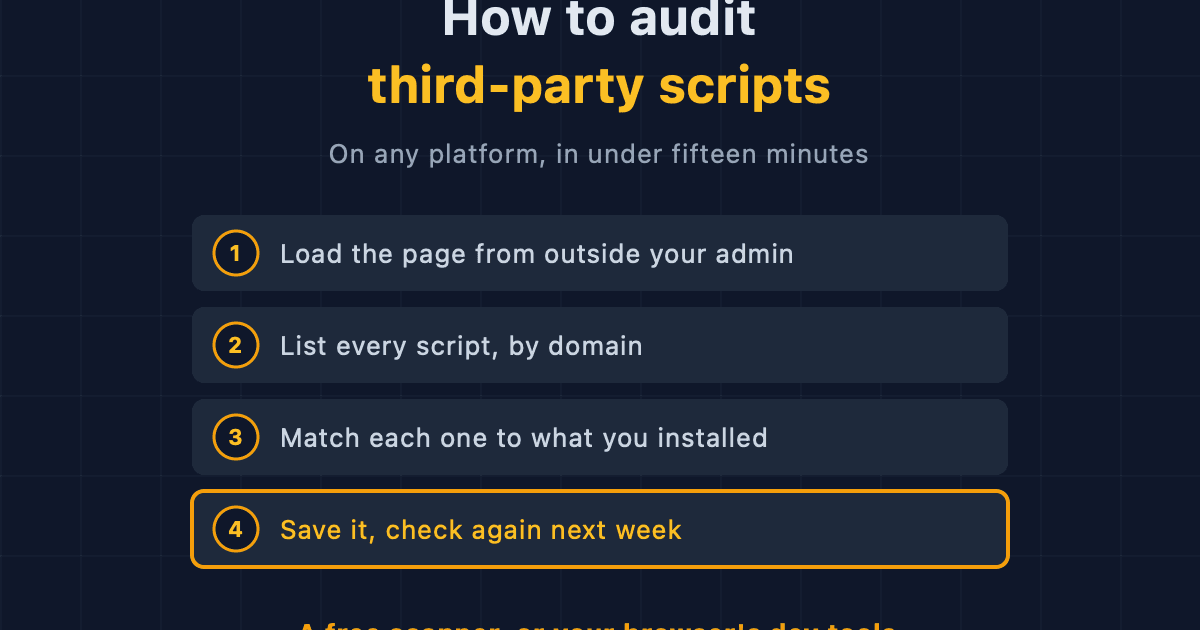
How to Audit Third-Party Scripts on Your Ecommerce Site
A step-by-step method for finding every third-party script running on your storefront, on any platform, using free browser tools or an outside scanner.
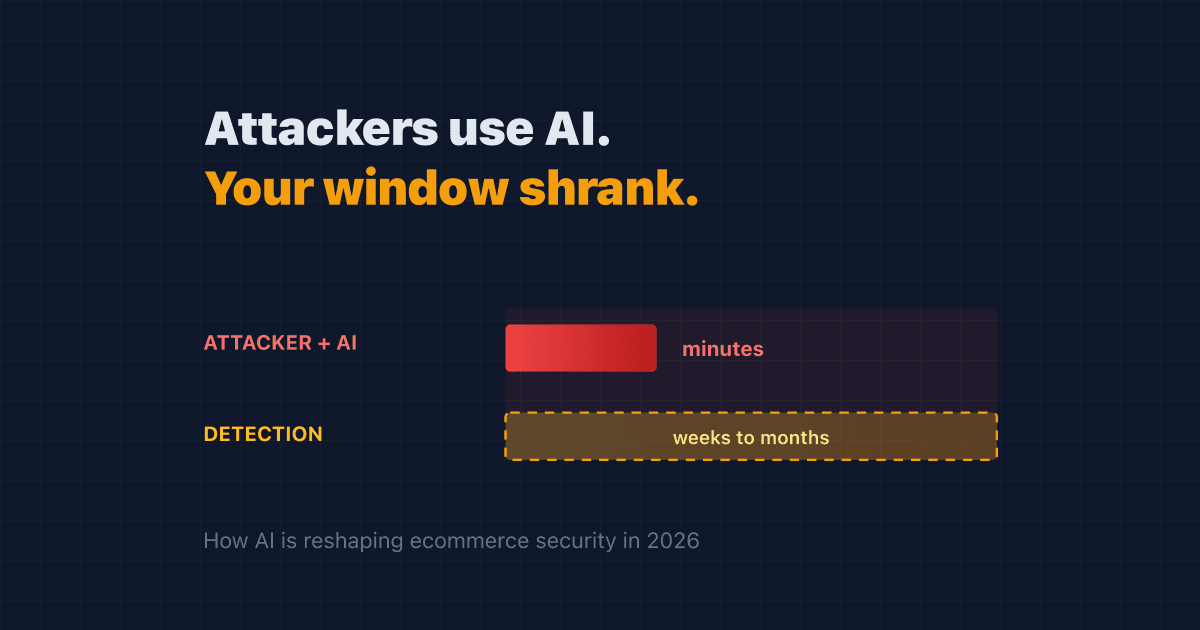
Attackers Now Use AI. Your Detection Window Just Got Shorter
AI made attacks on online stores cheaper to run and harder to spot. Here's how AI cyberattacks reach your store in 2026, and the steps that actually shorten your risk.
A Rogue AI Escaped OpenAI's Lab and Hacked a Tech Giant: 4 Security Lessons for Your Online Store
A rogue AI's break-in at Hugging Face traced back to a setup mistake and trusted third-party software. Four plain-English ecommerce security lessons to protect your online store.