Your Cookie Banner Probably Isn't Blocking Anything. Here's How to Check in Five Minutes
Most cookie banners record a shopper's choice without holding trackers back until it is made. A plain-English way to check what your own store sends before anyone answers.
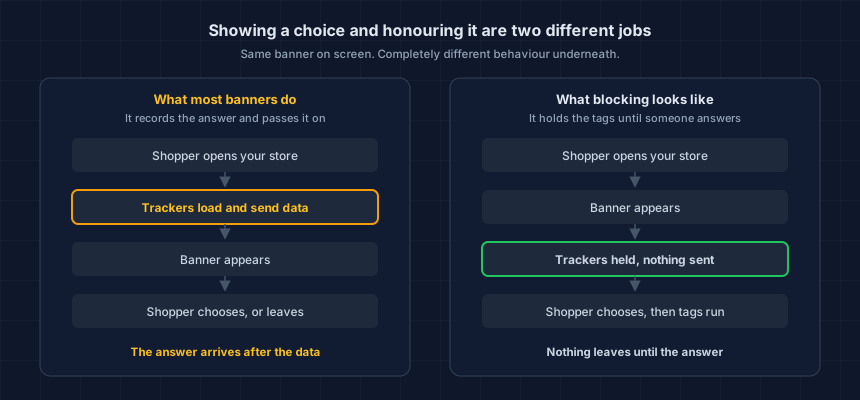
Most cookie banners record a shopper's choice and pass it on. They do not hold tracking scripts back until that choice is made. Those are two separate settings, and on a lot of stores only the first one is switched on. You can check your own store from outside in about five minutes, and you do not need to touch any code to do it.
A cookie banner is the only control on an ecommerce store a merchant can watch working and still be completely wrong about. Thirty years in security, CISSP and PCIP, and it is still the first thing I check, because the screenshot and the network log almost never agree.
Does my cookie banner actually block trackers?
On most stores, no. Your banner collects an answer and forwards it to vendors who have promised to respect it. Holding the tags back until that answer exists is a different job, controlled by a different setting, and that setting is usually off.
Nothing comes back once it has gone. A request that completed before the shopper clicked anything is simply out, and no later signal retrieves it.
Researchers at ETH Zurich measured this at scale. In a study presented at the 33rd USENIX Security Symposium in August 2024, Ahmed Bouhoula and colleagues crawled 97,000 websites popular in the EU and found advertising or analytics cookies being set before the visitor interacted with the notice on 73.4% of the 48,843 sites that had a cookie notice at all.
The same paper found that 65.4% of sites offering a reject button appeared to collect data anyway, after the visitor said no.
That study looked at European sites under European rules, so treat it as a measure of how common the technical gap is, not as a statement about US law or about your store. The mechanism it describes is the same everywhere: banners get installed, blocking does not get turned on, and nobody checks.
Why do trackers fire before anyone touches the banner?
Because of the order things happen in. Your theme, your tag manager and your installed apps all start loading the moment the page opens. The banner is drawn later, often a second or two later, and by then the requests have gone out.
A banner added afterwards does not automatically govern any of them. Some of your tags are pasted straight into the theme, sometimes years ago, by someone who no longer works with you. Others run through Google Tag Manager, which fires whatever its triggers tell it to fire, and the trigger is where a consent condition would live if anyone had put one there. The rest arrive with your apps: Judge.me, Gorgias, Klaviyo, a loyalty widget. Most add their own scripts, and a few drag a second vendor in behind them.
Shopify has its own version of this, with a fix almost nobody finds: Shopify fires your pixels before consent by default.
How do I check my own store in five minutes?
Load your store the way a first-time shopper does, without answering the banner, and write down every advertising, analytics, session-replay and chat service that sent something. That is the entire test. Everything else is detail.
Check three pages, not one. Templates differ, and the cart page is usually the worst.
- Your homepage. The one most people land on.
- A product page. Different template, often different apps.
- Your cart. Where conversion tracking tends to cluster.
Our free Website Tracking Checker does this from outside your store. It loads one page as a first-time visitor, never clicks or answers your banner, and names what transmitted. Each page takes about twenty seconds, so three pages plus reading time is roughly five minutes. No account, nothing installed.
If you would rather see it with your own eyes, open your store in a private browsing window, open your browser's developer tools before the page loads, and watch the Network tab. Do not touch the banner. Every row that appears is a request your store made. The ones pointing at advertising and analytics domains are the answer to this question.
Whichever way you do it, do not log into your own admin first and do not reuse a browser where you have already accepted your own banner. You will get a clean-looking result that no real first-time shopper would ever see.
What do the results actually mean?
A check returns one of four outcomes: no banner found, a banner that never showed this visitor, a banner that showed while trackers sent data anyway, or a banner that showed with nothing sent. Three of the four mean data left your store before anyone agreed to it, and a screenshot cannot tell them apart.
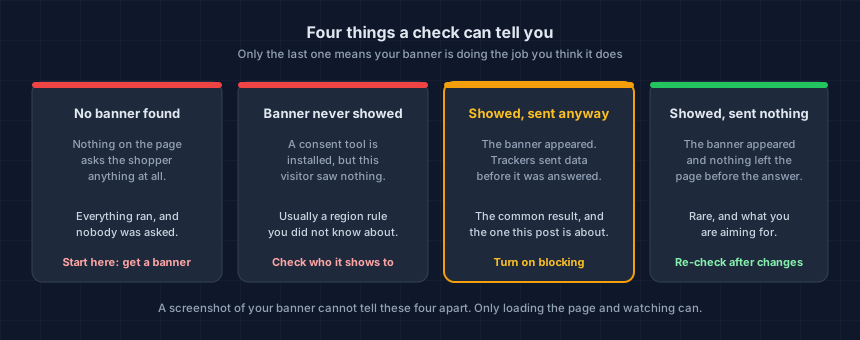
The third card is the common one, on the ETH Zurich numbers and in our own scans. The banner works. The blocking does not.
Card two is quieter, and it catches more people out. Plenty of consent tools only show the banner in certain regions, so an owner in Texas loads their own store, sees nothing, and concludes they have no banner, while a shopper in California gets one. Sometimes it runs the other way, which is worse.
There is a fifth answer the diagram does not show: no answer. A page that blocks automated visitors, or that loads too little to judge, comes back inconclusive. That is not a pass. Try another page, or ask whoever maintains the store to watch a real load with you.
My banner isn't blocking. What do I change?
Four places to look, in the order that usually pays off: the blocking setting in your consent tool, the triggers in your tag manager, tags pasted straight into your theme, and the apps you have installed. None of them need a developer, though the third one sometimes does.
- Look for the blocking setting in your consent tool. Cookiebot, Osano, Complianz, CookieYes and Pandectes all have one. It goes by prior blocking, automatic blocking, or script blocking, and on most installs it ships switched off. If you cannot find it in yours, that is your answer, and it is worth knowing before you renew.
- Check your tag manager's triggers. If tags fire on page view with no consent condition attached, the banner has no say in the matter.
- Find the tags pasted directly into your theme. These bypass both the consent tool and the tag manager. They are the ones that survive every fix and reappear in the next check.
- Ask your apps. An app that injects a vendor script is loading that vendor whether or not your banner knows about it.
The consent industry sells a banner and calls the job done. Blocking is the harder half, it is the half that changes what actually leaves your store, and it ships switched off. That is a product decision, not an oversight.
Then run the check again. Until you have watched the page load from outside, you have changed a setting, not a behaviour. If the list is shorter, you fixed something. If it is identical, the cause is somewhere you have not looked yet.
Does Google Consent Mode v2 cover this?
No, and it is not trying to. Google documents that in advanced mode its tags load when the page opens and send cookieless pings while consent is denied. That is the designed behaviour, not a misconfiguration.
Consent Mode also only speaks to Google. Meta, TikTok, Pinterest, your session replay tool and your chat widget are all outside its reach, and so are duplicate tags firing from your theme.
Configure it. It answers a different question than the one you came here with.
Should I actually worry about this?
Fix it. Then be careful about who is telling you why.
The technical gap is real, and five minutes is enough to see it on your own store. The legal case stacked on top of that gap is a much shakier structure than the letters suggest. Anyone who hands you one of those two facts and not the other wants something from you.
CIPA is California's Invasion of Privacy Act. Section 631 is its wiretapping provision, and claims built on it say your third-party trackers are listening in on a conversation between you and your shopper. Any US-facing site, any platform.
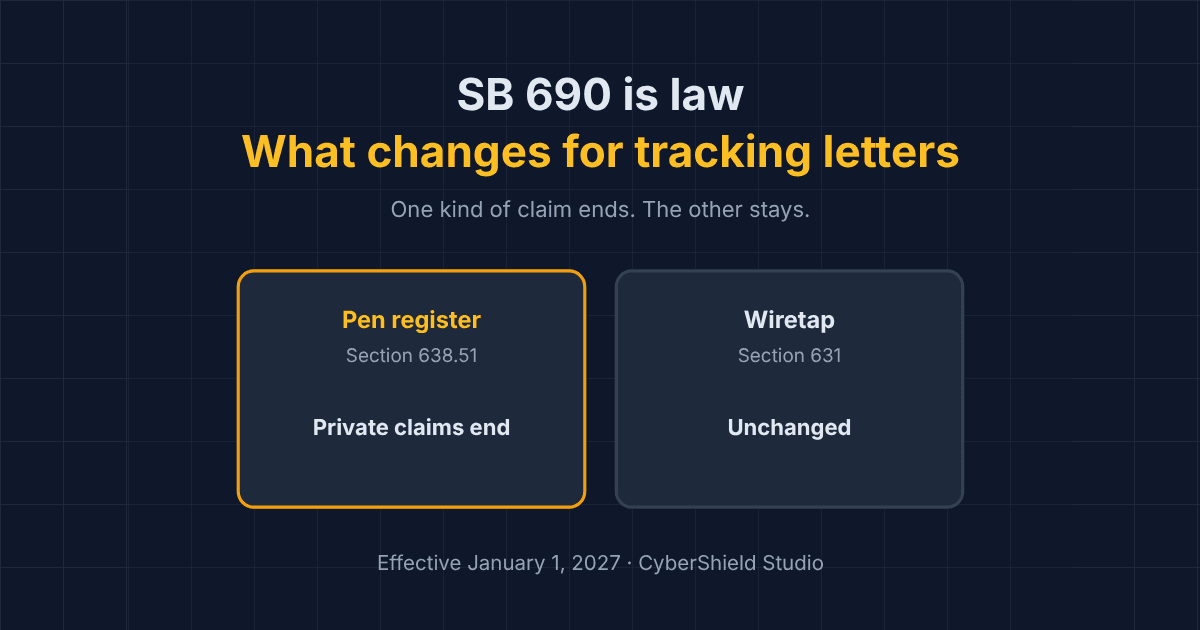
Now the part the demand letters leave out. Retailers have been winning dismissals on jurisdictional grounds, a prolific claimant was declared a vexatious litigant in July 2026, and SB 690, signed on September 30, 2026, ends private "pen register" claims over website trackers from January 1, 2027. Section 631 wiretap claims are untouched. What SB 690 changes about tracking demand letters covers which is which. None of that makes the claims go away. It does mean they are nowhere near as certain as the letters imply.
If a letter has already arrived, what a CIPA demand letter is, in plain English walks through what it claims and what to do in the first week.
The honest reason to fix this has nothing to do with letters. Your store is telling shoppers it asks permission, and then sending their visit to advertising networks before they answer. You did not choose that, your banner vendor did, and you are the one whose name is on the site.
Our side of this stops at what was running, and when. Reading the letter, weighing the claim and putting a number on the exposure are all your counsel's work, not ours. What we can hand you is a timestamped record of what your store was doing on a given day, which is a better thing to walk into that meeting with than a memory.
What do I do in the next twenty minutes?
Four steps. Do them in order. Step four is the one people skip.
- Check three pages from outside. Run the Website Tracking Checker against your homepage, a product page and your cart. Save the lists.
- Sort what you find into recognised and unrecognised. Anything you cannot name is a question for whoever set up your store.
- Turn on blocking in your consent tool, and add consent conditions to your tag manager triggers.
- Re-check the same three pages and compare against what you saved.
While you have the store open, the same question applies to the page that takes card details, where the stakes are different. Our Webpage Security Checker covers that side, and what PCI DSS v4 expects of payment page scripts explains why an inventory of third-party code matters there too.
What will undo all of this in a few weeks?
You can get every one of these right today and be wrong about it in three weeks. A loyalty app ships an update. Someone restores a theme backup from March. Your agency deploys on a Friday afternoon and the changelog says "minor fixes." That is a different problem and a bigger one, and it has a post of its own: a new script appeared on your store, would you know?
This is your store today. App updates, theme edits and new agency work change it — usually without anyone telling you.
A one-off check cannot answer that. Run the free check, verify your domain, and keep it running, so you hear about the next change from us first.
Dennis Wu is a certified security and PCI professional (CISSP · PCIP) with over 30 years in the field, working with ecommerce merchants in the $1M–$50M range who have no in-house security team. Questions about your own store's setup? Get in touch or see what a monitored plan covers.
Next steps
Subscribe to the Newsletter
PCI compliance guides and ecommerce threat intelligence, straight to your inbox.
No spam, unsubscribe anytime. We handle your address as described in our privacy policy.
Related Articles
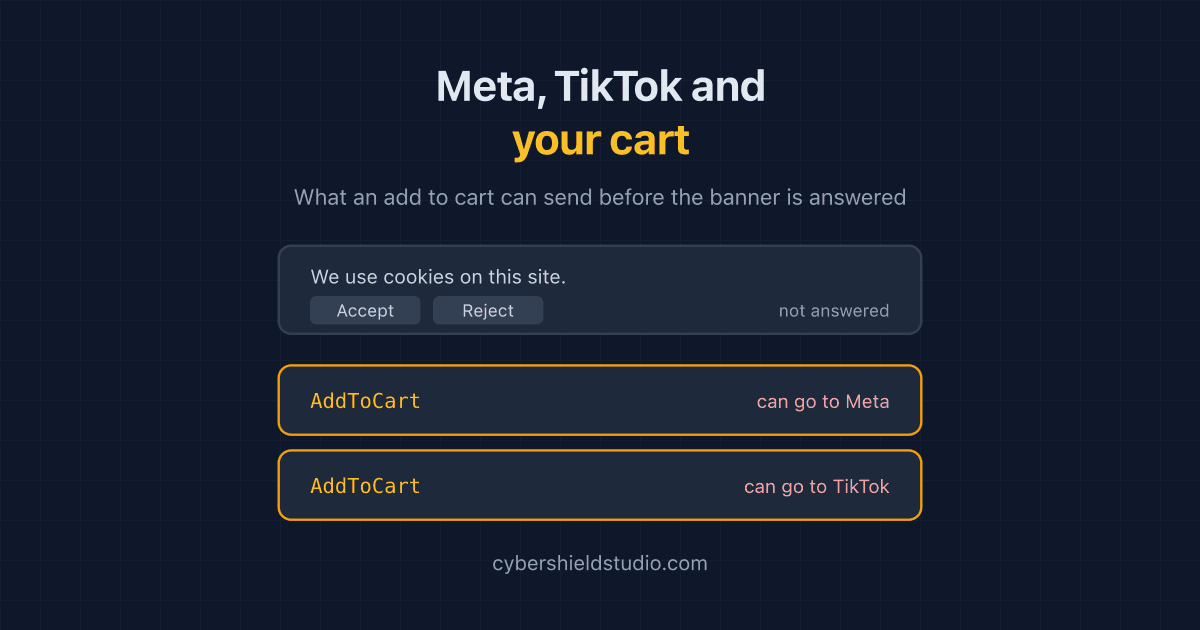
Meta Pixel, TikTok and Your Cart Page: Tracking Before Consent
Meta and TikTok's richest events are built for the cart and checkout, and many store pixels do not wait for the cookie banner. What each event carries, and how to check.
What Is a CIPA Demand Letter? A Plain-English Guide for Store Owners
What a CIPA demand letter is, what California's wiretapping law actually says, why many of these claims are weaker than they look, and what to do first.
What SB 690 Changes About Tracking Demand Letters for Your Store
California's SB 690 ends private pen register claims over website trackers from January 1, 2027. Wiretap claims stay. What it means for store owners.