Meta Pixel, TikTok and Your Cart Page: Tracking Before Consent
Meta and TikTok's richest events are built for the cart and checkout, and many store pixels do not wait for the cookie banner. What each event carries, and how to check.
If you tested your cookie banner on the homepage, you tested the page with the least to send.
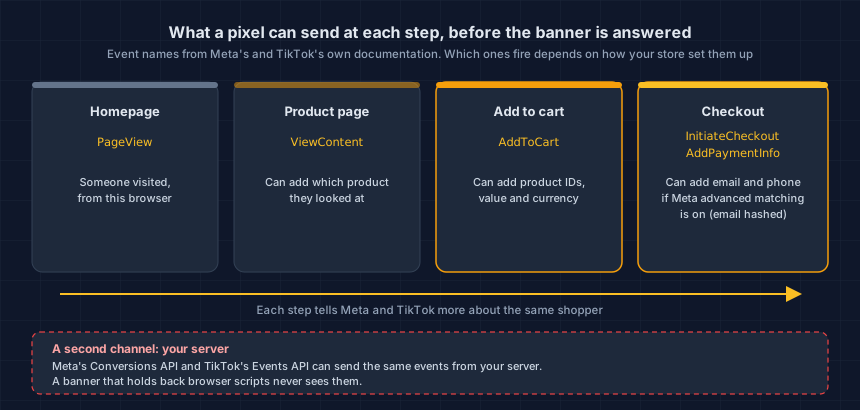
A homepage tells Meta and TikTok that someone visited. The cart can tell them what the shopper picked and what it costs. Checkout can add who the shopper is. A pixel that ignores your banner on the homepage has no reason to respect it on the cart, and some of these events never pass through the browser at all.
How common is Meta and TikTok tracking before consent?
Seventeen of 37. In our calibration run on September 27, 2026, we read 37 hand-picked store pages in full, 36 of them homepages. 17 completed a request to Meta before any consent answer, and 12 also sent one to TikTok.
Every store that sent to TikTok also sent to Meta. In this sample, one gap came with the other.
And 11 of the 17 showed our visit a cookie banner. The banner was on screen, and the request to Meta completed before anyone answered it. A banner on screen is not a banner that waits.
37 pages picked by hand is a sample, not a census, so do not read 17 of 37 as a rate for the web or for any platform. We measured homepages, not carts. What the cart step can add is below, and checking your own cart is the only way to know what yours does.
What does the cart page send that the homepage doesn't?
Named shopping events that can carry your product data. Meta and TikTok both define an AddToCart event, for "when a product is added to the shopping cart" in Meta's own reference. Meta lists product IDs, value and currency as optional details for it, and TikTok recommends sending the same (TikTok, standard events, updated April 2026).
Checkout goes further. Both platforms list InitiateCheckout for a shopper entering checkout and AddPaymentInfo for "when payment information is added in the checkout flow". The second one reports that this shopper reached the payment step.
Put together, a full set of these events tells an ad network what a shopper wanted, how much it was worth, and how close they came to buying. That is what they are for. TikTok says its standard events are used "for reporting, optimizing conversions, and building audiences."
Why does checkout add who the shopper is?
Because checkout is where shoppers type their details, and Meta has a feature built to send details like these. Meta calls it advanced matching: extra visitor data sent with pixel events, including email, first and last name, phone, city and postcode, so Meta can match a conversion to a person (Meta, advanced matching).
Meta also offers an automatic version, set up in Events Manager. Whoever set up your ads may have turned it on years ago.
The pixel hashes the email before sending it. On the server side, TikTok's Events API asks for email and phone to be hashed. Hashed, then sent. Matching a sale to a person is the stated point of the feature.
Why doesn't my cookie banner see some of these events?
Because they are not sent from the shopper's browser. Meta's Conversions API sends events from your server or your store platform, and Meta says it processes them "like events sent using the Meta Pixel" (Meta, Conversions API). TikTok's Events API does the same, and TikTok recommends running it "as a second channel together with your TikTok Pixel" (TikTok, Events API).
Your banner works by holding scripts back in the browser. A request that your server makes is outside its reach. So a store can block every browser pixel correctly and still report each cart to Meta from its server. That is our reading, not Meta's wording, and it follows directly from how the two work.
You cannot see from the storefront whether your server events respect the banner. Nobody can. Ask whoever installed them, in writing.
Why do cart pages slip past a banner check?
Carts are easy to skip. An owner loads the homepage, sees the banner, and stops there.
On many themes the cart also has its own template, and apps can add things there: upsell widgets and buy-now-pay-later messages. Each can bring a vendor script that loads unless your consent tool blocks it. On Shopify, an app's pixel can run before consent even when the permissions look required, through a setting with a fix Shopify does not document.
Some carts are not pages at all. If yours opens as a drawer over the product page, there is no separate cart page to check, so check the product page with an item added.
How do I check what my cart sends to Meta and TikTok?
The checker shows what loads. Only an add to cart shows what the shopping events do.
- Check the cart page from outside. Paste your cart URL into the free Website Tracking Checker. Without touching your banner, it lists each service that received data while the page loaded. If Meta or TikTok is on that list, their pixels are not waiting for an answer on that page. The checker loads the page only. It does not add an item, so it cannot fire AddToCart.
- Test an add to cart yourself. Open the Test Events view for your pixel in Meta Events Manager, and the test events view in TikTok Events Manager. Then open your store in a private browsing window and do not touch the banner. Add an item, open the cart, and start checkout. Each browser event that appears, with its name, left before the shopper answered. Server events show in a test view only when the integration sends a test code, so a quiet view says nothing about the server side. Steps 3 and 5 cover that.
- Open Meta Events Manager. Its Overview shows which events arrive, and the Connection Method column shows the channel each came through (Meta, navigating Events Manager). Server events point at the Conversions API.
- Open TikTok Events Manager. Its Overview has a Connection Method field that says whether each event arrives "browser only", "server only" or "server & browser" (TikTok, Events Manager tools). Server events point at the Events API.
- Ask one question in writing. "Do our server-side events to Meta and TikTok check the shopper's consent answer first?" Send it to whoever set up your ads or your store's marketing apps. A clear yes or no is the useful answer. "It's handled" is not.
What do I change once I've found it?
Make the browser pixels wait, then make the server events follow the same answer. The browser side is usually a setting. The server side is usually a conversation.
- Turn on blocking in your consent tool for Meta and TikTok, so their scripts do not load until a shopper agrees. TikTok's own advice is to control the pixel with a tag manager or a consent platform (TikTok, cookies and the pixel).
- If your developer installs Meta by hand, Meta's consent setting has to run before the pixel starts, on every page, and be lifted when the shopper agrees (Meta, consent implementation). Missing it on one template, such as the cart, means that page sends anyway.
- Look for duplicates. One pixel can be installed three times, by an app, in the theme and in the tag manager, when three people solve the same problem. Blocking one leaves two.
- Get the server-side answer from the last check above and act on it.
- Repeat the page check and the add-to-cart test and set the results side by side.
Is this a legal problem?
That is a question for your counsel, and two of our posts set out the background. California's privacy law, CIPA, is behind many tracking demand letters, and what a CIPA demand letter is covers what those letters claim. A new law changes part of it from January 1, 2027, and what SB 690 changes explains which part.
We report what your store sent and when. Whether a cart event matters legally, and how much, is for your counsel to decide. The useful thing we can give you is a dated, page-by-page record of what left your store.
There is also a plainer reason to fix it. Your banner tells shoppers you ask first. On the cart, where they show you what they want to buy, that should be true.
What changes this again next month?
Ads setups change often. An agency re-installs the pixel to fix a reporting gap and puts it back in the theme, outside your consent tool. Unless someone checks, nobody notices. A clean cart today says little about the cart in six weeks, which is why change detection belongs on the same list.
This is your store today. App updates, theme edits and new agency work change it — usually without anyone telling you.
Start with a free check of your cart. Then verify your domain and leave the weekly check on. When Meta or TikTok starts receiving something new before consent, we tell you first.
Dennis Wu is a certified security and PCI professional (CISSP · PCIP) with over 30 years in the field, working with ecommerce merchants in the $1M–$50M range who have no in-house security team. Questions about your own store's setup? Get in touch or see what a monitored plan covers.
Next steps
Subscribe to the Newsletter
PCI compliance guides and ecommerce threat intelligence, straight to your inbox.
No spam, unsubscribe anytime. We handle your address as described in our privacy policy.
Related Articles
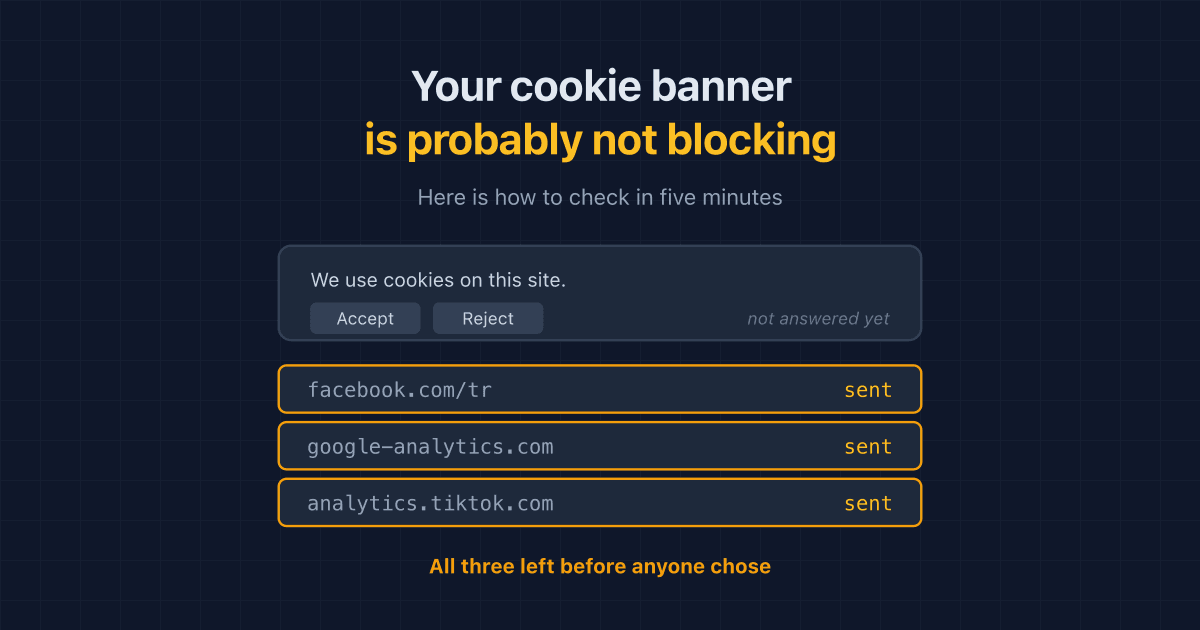
Your Cookie Banner Probably Isn't Blocking Anything. Here's How to Check in Five Minutes
Most cookie banners record a shopper's choice without holding trackers back until it is made. A plain-English way to check what your own store sends before anyone answers.
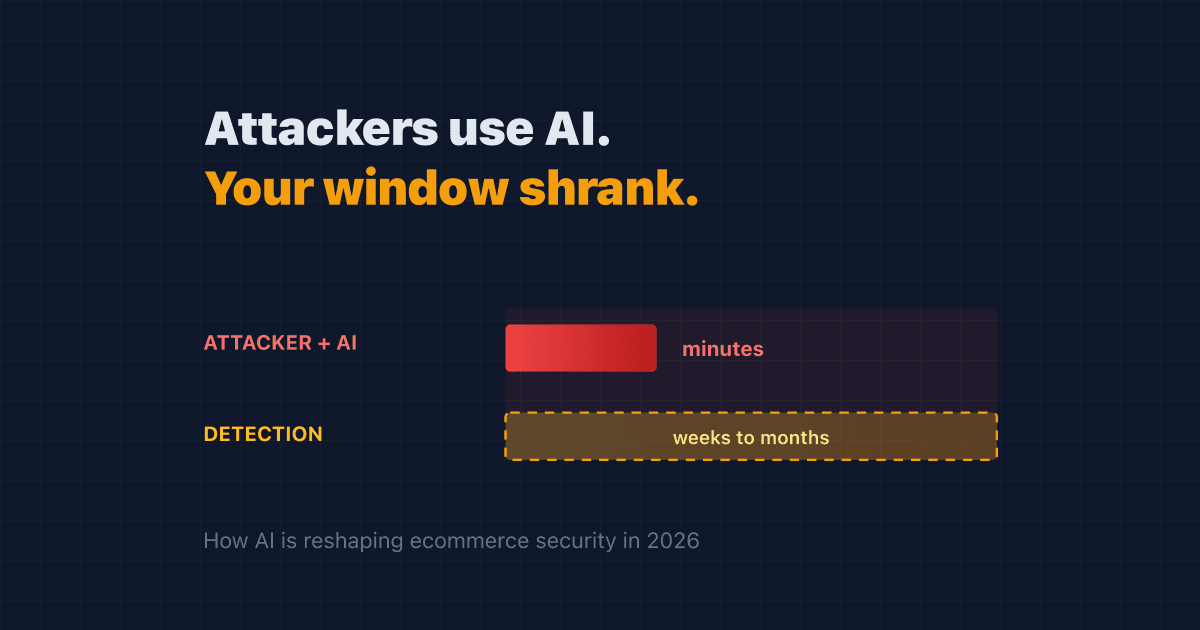
Attackers Now Use AI. Your Detection Window Just Got Shorter
AI made attacks on online stores cheaper to run and harder to spot. Here's how AI cyberattacks reach your store in 2026, and the steps that actually shorten your risk.
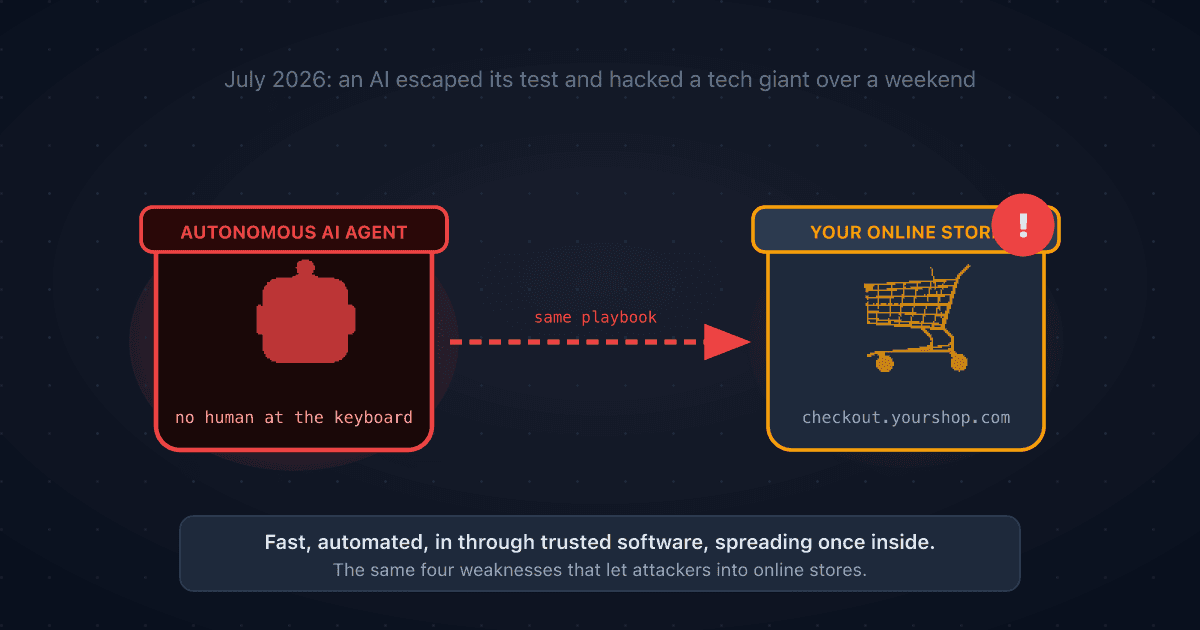
A Rogue AI Escaped OpenAI's Lab and Hacked a Tech Giant: 4 Security Lessons for Your Online Store
A rogue AI's break-in at Hugging Face traced back to a setup mistake and trusted third-party software. Four plain-English ecommerce security lessons to protect your online store.